
If you’re already using a digital flashcard app like Brainscape (or considering it), this article is your creative playbook!
In it, you’ll discover flexible, classroom-tested ideas for making flashcards—and, therefore, retrieval practice—an integral part of your learning ecosystem.
We've positioned these ideas so that they can be adapted for different grade levels, device access levels, and instructional goals, so in addition to being a fertile compost heap of ideas, it's flexible too.
Some work beautifully in a fully 1:1 classroom. Others work just as well with a projector and one teacher's device. Throughout, we’ll use Brainscape as the main example, since it is especially well-suited to this kind of classroom use.
Let’s dive right in with some motivation for bringing flashcard practice into the classroom in the first place...
Why Turn Flashcards Into a Classroom Activity at All?
Flashcards are often seen as solitary tools: something students do alone at home. And it makes sense! You teach the material in your class and they use a flashcard app to move that material from their short-term memory into their long-term memory through spaced retrieval practice.
But in the classroom, flashcards can also function as:
- A collaborative thinking tool
- A formative assessment engine
- A creativity exercise
- A structured discussion catalyst
- A low-prep review system
- FUN!
The goal of spending class time on flashcard practice is essentially to show your students the best practices for making and studying them; and to work on building the right study habits.
Then, once those habits are created, you can move memorization out of lecture time, thereby freeing class time for more complex tasks like application, discussion, and constructivist learning.
Now that you're fully on board with us, let's shift our focus to creative implementation. Here are 10 ideas to get you started…
How to Use Brainscape for Collaborative Content Creation
1. Chapter-to-Deck Group Project
Best for: Upper elementary through high school
Device access: 1:1 ideal, but adaptable
How it works: The teacher (that's you) sets up a class in Brainscape and then populates it with decks (empty) labelled according to the key topics that will be covered throughout the term or semester. (One deck per chapter, topic, or unit.)
Then, you assign 3-5 students each week to be the flashcard creators for that week's content. These students will need to work together to:
- Identify what's important
- Create high-quality flashcards in a short Q&A format
- Add clarifying footnotes where needed
- Organize cards logically within the deck
(Pro Tip: Walk them through these Tips for Creating and Editing Flashcards in Brainscape.)
Done this way, each week's content will become distilled down into flashcard format, which will then be available to the entire class to study as they progress through the semester (without any duplication of effort). The next week, you'll nominate a new group and so on until everyone in your class will have had a chance to participate. (And you can even formally grade that participation!)
Your role in all of this is to evaluate:
- Did they identify what truly matters?
- Are cards focused on one concept at a time?
- Are answers concise?
- Are footnotes meaningful and not just copied text?
You can even develop a rubric aligned to accuracy, clarity, concept prioritization, and quality of differentiation.
By the end of the term, you will have a complete, student-generated deck for each chapter, all neatly organized inside the shared class and ready for everyone to study before midterms, finals, or major unit assessments.
2. Flashcard Peer Review Workshop
Best for: Middle school and up
How it works: Have students create their own class in Brainscape, populate it with decks, populate those decks with flashcards, and then share their work with a partner or group for review.
The workshop’s task is to assess:
- How that student has logically broken up the content into decks
- Whether concepts are neatly framed as question-and-answer pairs
- The quality of the explanations (clear, concise, complete)
- The accuracy and completeness of each flashcard
- The value-add of footnotes (and other things like images or diagrams, etc.)
Importantly, peers are encouraged to make "edit suggestions" by tapping the pencil icon (✏️) to the right of every flashcard. This allows them to point out any mistakes or suggest improvements, which the author can then review and accept... or reject, of the suggestion is a poor one.
This exercise reinforces the rules of quality flashcard creation, with the rather nifty side-effect of deepening your class’s retention of the information they’re being taught!
Using Brainscape for Whole-Class Engagement
3. Group Retrieval Practice On-Screen
Best for: Any age, especially mixed-access classrooms. (If not every student has a mobile device, you can share or mirror your phone or laptop to a class TV, so that they can all see what you're doing.)
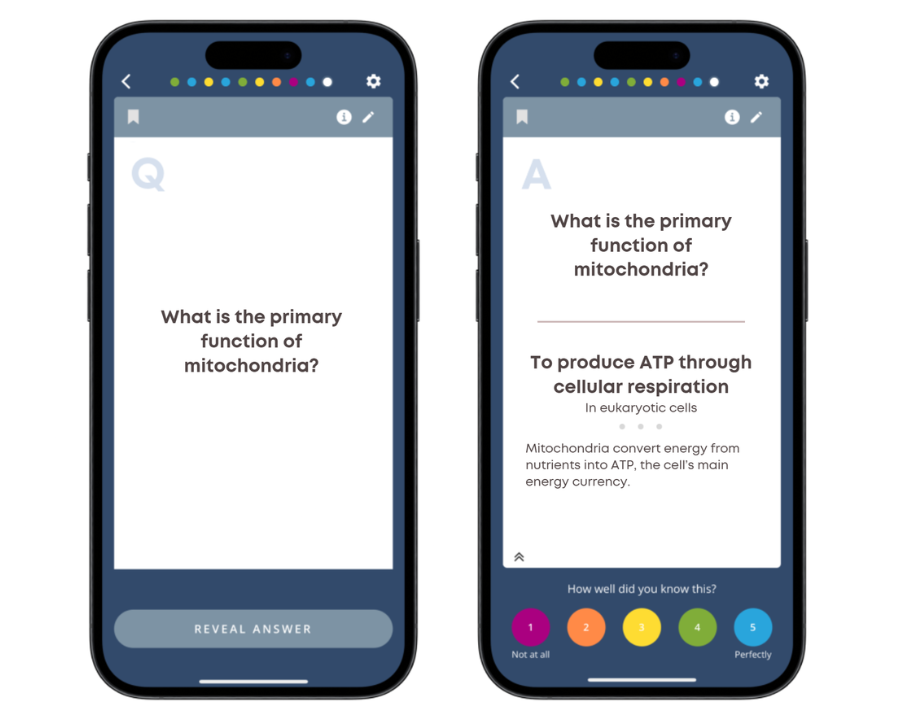
How it works: Run structured retrieval rounds! In this exercise, you're walking your class through how to properly study flashcards in Brainscape... but in reality you're teaching them how to study actively: with retrieval practice. It's a twofer!
The first step is to display your device so the whole class can see. Then:
- Display a flashcard question
- Give the class 5-10 seconds to think of the answer
- Let them discuss the answer with a peer, so that they can each reflect on how well they knew the answer. (Remember, it doesn't matter how highly they rated their confidence but rather, how honestly. Try to emphasize that to them.)
- Finally, reveal the answer to the whole class
You can:
- Poll students for their confidence ratings; this will help you teach them how to honestly rate their confidence
- Ask students to explain why an answer works
- Invite alternate phrasing (and edit the flashcards on the fly)
You’re essentially modelling to the class how to use flashcards for retrieval practice. At the same time, you’re guiding them through the self-reflection required to assign a confidence rating to the answers they arrived at. This metacognitive reflection is a crucial learning skill that will serve them in and out of the classroom for life!
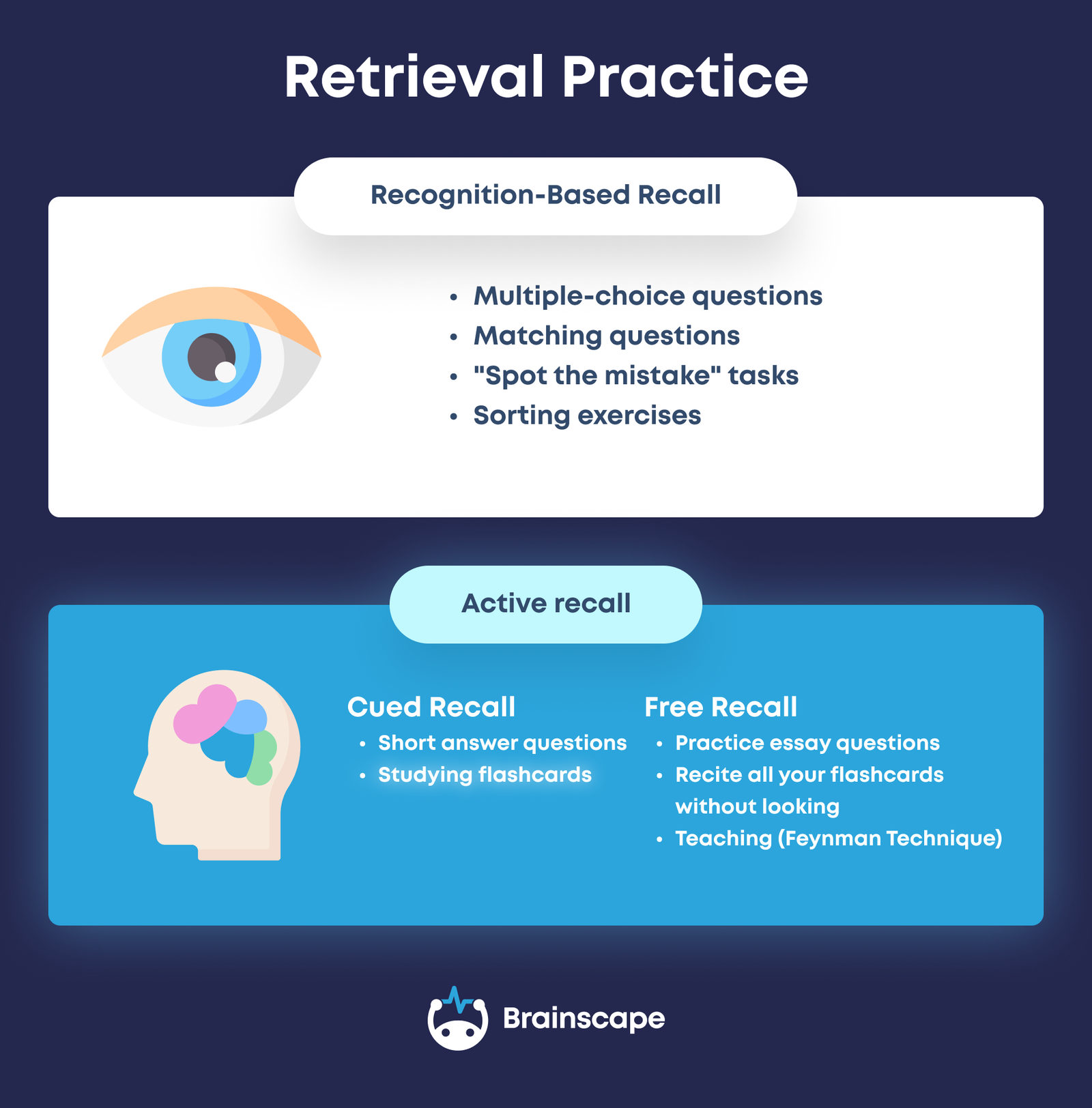
4. “Spot the Mistake” Deck
How it works: Create a deck with intentional errors:
- Slight factual inaccuracies
- Overly vague questions
- Poorly written answers
Your students’ task is to:
- Identify the flaw
- Correct it
- Explain why it’s flawed
If students have Full Study access to a class, they can use the ✏️ icon to submit a Suggest Edit recommendation rather than changing the flashcard directly. That gives you a simple way to collect and review student corrections from one place in your Edit Suggestions dashboard, making this activity easier to manage and easier to grade.
It also reinforces that flashcards are learning tools, not infallible truths!
Pro tip: You might tell your class you used Brainscape’s AI features to create a set of flashcards, but that you need their help to make sure that each card is well-written and accurate. (You can intentionally plant errors for them to sniff out.) The message here is that, as helpful an assistive tool as AI is, learners should never take its output at face value.
Using Brainscape for Structured In-Class Study Sprints
5. Five-Minute Retrieval Sprint
How it works: This is a quick n' easy one. At the start or end of class, devote five minutes to heads-down Brainscape study time. After their five minutes is up, they should put their devices away and write down everything they remember from the cards they studied.
This free recall exercise is really powerful for memory. Plus, the exercise is low prep!
6. Confidence Challenge
How it works: Host a quiz where only students with 80%+ mastery in a Brainscape deck can participate.
Winners get a prize, points, or simple classroom bragging rights.
This works especially well at the end of the week, or before a quiz, when you want to reward students who have been studying consistently. If several students qualify, you can have them take turns answering questions from the deck until only one is left standing.
The nice thing about this format is that it discourages fake progress. Students quickly realize there is no point in inflating their ratings in Brainscape if they then have to answer questions correctly in front of the class.
That is what makes this a useful classroom activity rather than just ordinary solo study. It turns regular flashcard practice into a visible challenge with a clear payoff, while still rewarding the habit you actually want: studying a little, often.
Footnote: Brainscape’s confidence-based repetition works by asking students to rate how well they knew each answer after revealing it. Over time, that helps the system prioritize what they need to review most.
Using Brainscape for Pre-Lesson Priming
7. Pre-Teaching Flashcard Assignment
How it works: Before a new unit, assign students to create 5–10 flashcards from the upcoming reading.
In class:
- Compare predictions with your lesson emphasis
- Discuss what students thought was important
- Patch and refine cards together
This activates prior knowledge and primes attention (Read: Why You Should Assign Flashcards Before the Lesson).
all of the flashcards in the relevant deck(s) in Drill Mode… BEFORE class.
Brainscape’s “Drill Mode” allows students to work through all the flashcards in a deck, without having any of them repeated. This is a powerful primer for the coming lesson!
Using Brainscape for Assessment (Without More Grading)
8. Flashcard-Based Participation Credit
Rather than grading mastery, reward:
- Number of days studied
- Consistency over time
- Contribution to class decks
Even a small participation percentage shifts behavior dramatically.
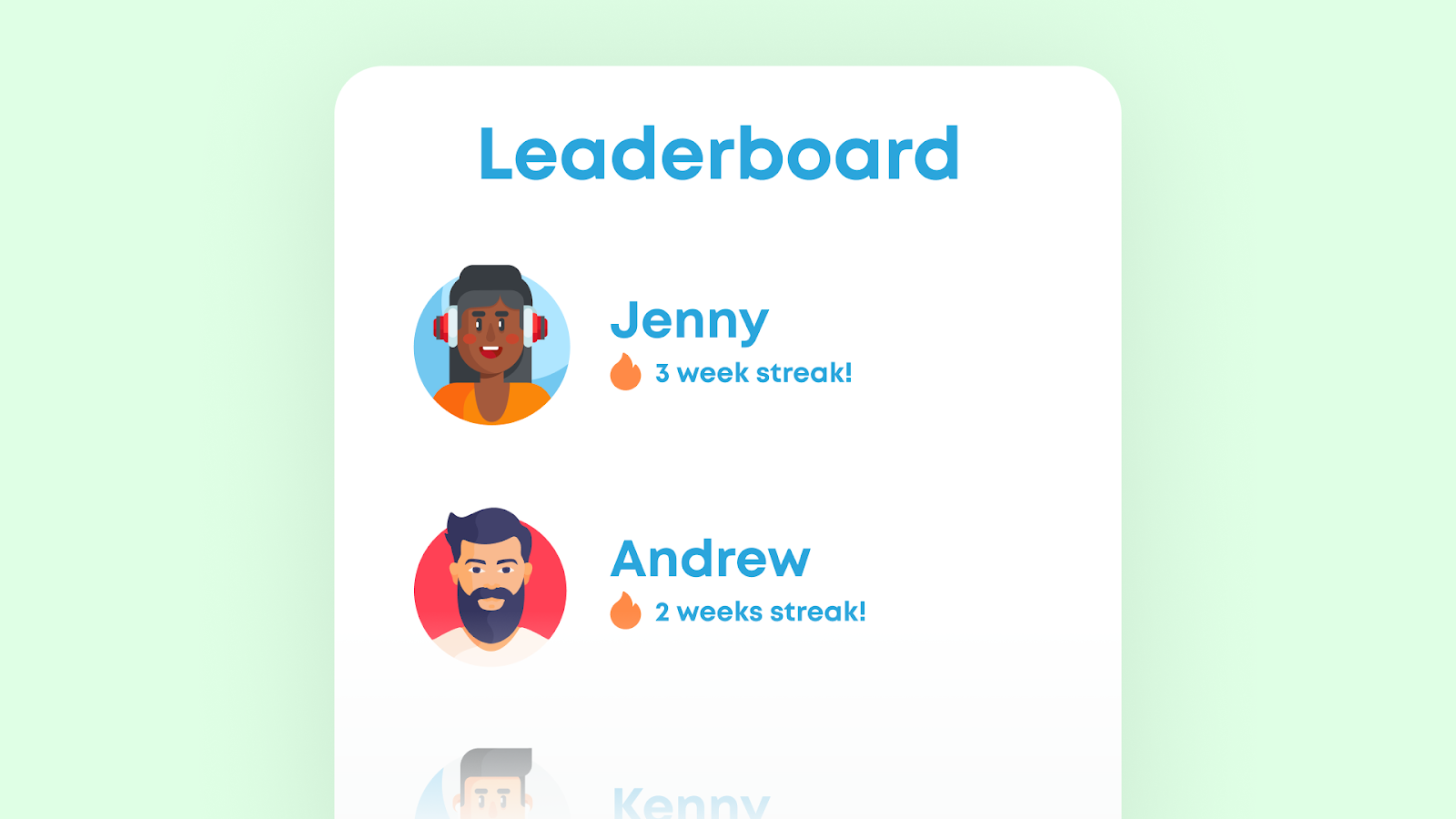
Note: Teachers can view leaderboard activity within their class. While detailed analytics are limited, even visible engagement signals can motivate students.
9. Pop Cumulative Quiz Days
How it works: Instead of scheduling obvious review days, occasionally give a short pop cumulative quiz based on older flashcards your class has already studied.
This works best as a quick in-class activity. Open one or two older decks from your shared class and use them to generate a short retrieval round or mini quiz that pulls from anything covered so far that term. The point is to keep prior knowledge alive, not just the current unit.
This approach helps students realize that learning is cumulative. It also gives them a strong reason to keep reviewing older material in Brainscape a little at a time, rather than forgetting it after each chapter test.
If you want to go deeper on this strategy, see our article on pop cumulative exams, which explains how short, surprise cumulative assessments can help students stay up to date with course material, build daily study habits, and reduce final-exam cramming.
Using Brainscape as a Creative Thinking Tool
10. “Build the Best Flashcard” Competition
How it works: Instead of just answering flashcards, students compete to create the most effective flashcards for a particular lesson.
Criteria for each card:
- Clear prompt
- One main idea per card
- Neat, accurate answer
- Key terms underlined or bolded
- Good supplementary explanation in the answer footnote
- Possibly also a clear image or diagram
- Inspires thinking, not recognition
Winning cards get added to the class’s official deck.
The Bigger Picture
When flashcards move beyond “homework review” and into classroom design, they become:
- A habit engine
- A formative assessment tool
- A creativity exercise
- A collaborative thinking structure
Most importantly, they allow you to automate memorization outside of your lectures, so class time can be spent on analysis, discussion, and real-world application.
Flashcards don’t replace teaching.
They make deeper teaching possible.
Get Brainscape's Educator User Guide
Curious to learn more about how to introduce Brainscape into your physical or virtual classroom? Our Educator User Guide provides a detailed walkthrough of how to get set up. It'll also give you all the material you need to motivate for its adoption amongst your students, their parents, and/or the faculty of your school or college:
Free Educator Resources For You:
- Brainscape Teacher’s Academy: Practical guides for implementing the cognitive science of learning and memory into your classroom, at scale
- “Tips for Teachers” YouTube Channel: Short, research-backed advice and classroom strategies
- The Educator Community: Join the conversation, ask questions about Brainscape, read other educators’ insights, and log your feature requests here!
References
Dunlosky, J., Rawson, K. A., Marsh, E. J., Nathan, M. J., & Willingham, D. T. (2013). Improving students’ learning with effective learning techniques. Psychological Science in the Public Interest, 14(1), 4–58. https://doi.org/10.1177/1529100612453266
Fiorella, L., & Mayer, R. E. (2021). Learning as a generative activity (2nd ed.). Cambridge University Press.
Roediger, H. L., & Karpicke, J. D. (2006). Test-enhanced learning. Psychological Science, 17(3), 249–255. https://doi.org/10.1111/j.1467-9280.2006.01693.x
Soderstrom, N. C., & Bjork, R. A. (2015). Learning versus performance. Perspectives on Psychological Science, 10(2), 176–199. https://doi.org/10.1177/1745691615569000
Xu, J., Wu, A., Filip, C., Patel, Z., Bernstein, S. R., Tanveer, R., Syed, H., & Kotroczo, T. (2024). Active recall strategies associated with academic achievement in young adults: A systematic review. Journal of Affective Disorders, 354, 191–198. https://doi.org/10.1016/j.jad.2024.03.010