Recall function of the Altitude Select Knob
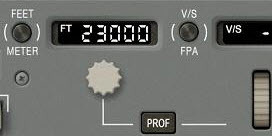
Rotate – preselects altitude in altitude window. If PROF is engaged, sets FMS limits for climb or descent
PULL – Airplane will climb or descend directly to selected altitude and ATS will go to climb thrust or idle descent as required
PUSH – Airplane will hold current altitude
Recall function of the V/S-FPA changeover button
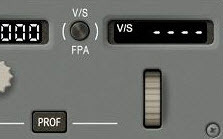
Selects either vertical speed in fpm or FPA (Flight Path Angle) in tenths of degrees
Recall function of the PROF switch
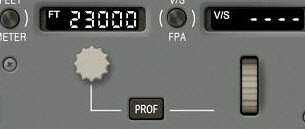
Engages FMS vertical profile guidance
**Note: Can also be used to engage the Autothrottle System
Recall function of the HDG/TRK changeover button
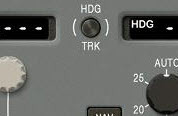
Selects either heading or track in the display window and on the ND
Recall function of the NAV switch
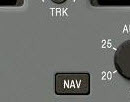
PUSH – Arms the FMS NAV capture mode or resumes FMS lateral control
Recall function of the FMS SPD button
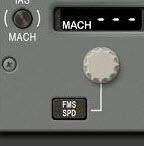
Push – selects the armed FMS speed. Display window will show dashes and the FMA speed changes from white to magenta.
**Note: FMS speed can be edited by preselecting an FCP speed and immediately pushing this button. Pushing the FMS SPD button again will delete this FMS speed edit
FMS speed can be disengaged by pushing or pulling the IAS/MACH select knob or engaging go-around
Recall function of the IAS/MACH changeover button
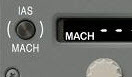
Selects either IAS or MACH in the display window
Recall function of the IAS/MACH select knob
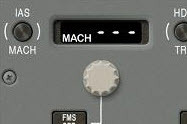
Rotate – preselects IAS or Mach in the display window.
PULL – Airplane will hold speed selected in the window
PUSH – Airplane will maintain current speed and the display window displays that speed
Recall function of the APPR/LAND switch
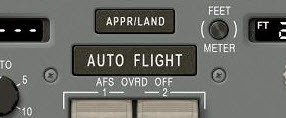
Arms the APPR and LAND modes (a tuned ILS is required)
Recall function of the AUTOFLIGHT Switch
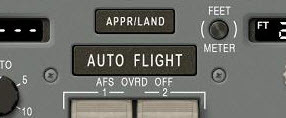
Engages ATS and one AP in the FD mode that has been selected. After AP engagement, each push alternates the AP between AP1 and AP2
Recall function of the AFS OVRD switches
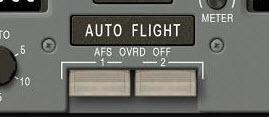
PUSH DOWN – Allows emergency disconnect of respective autopilot, autothrottle and yaw damper
Recall how Mach Trim is provided by the Flight Control Computers
- Only operative when Autopilot is not engaged
- When Mach trim is active, the stabilizer automatically moves to compensate for pitch forces caused by Mach number
- If Mach trim becomes inoperative, it will automatically stop driving the stabilizer and an alert will be displayed
Recall how the Bank Angle Limit Selector limits bank
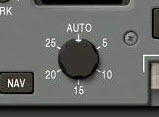
Rotate (Inner Knob) - Selects max bank angle in 5 degree increments
AUTO - Bank angle limits vary with speed. This selector cannot override FMS bank angle limits. Limits are displayed on the top of the PFD attitude sphere
Recall features of the HDG/TRK Selector Knob
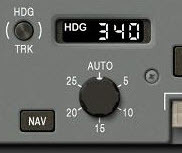
TURN (Outer Knob) – Preselects a heading or track in the display window
PULL - Aircraft captures and follows selected heading or track that is in the display window
PUSH - Aircraft rolls out and maintains current heading or track. The window will display this heading or track
Recall features of the Autothrottle Disconnect Switches
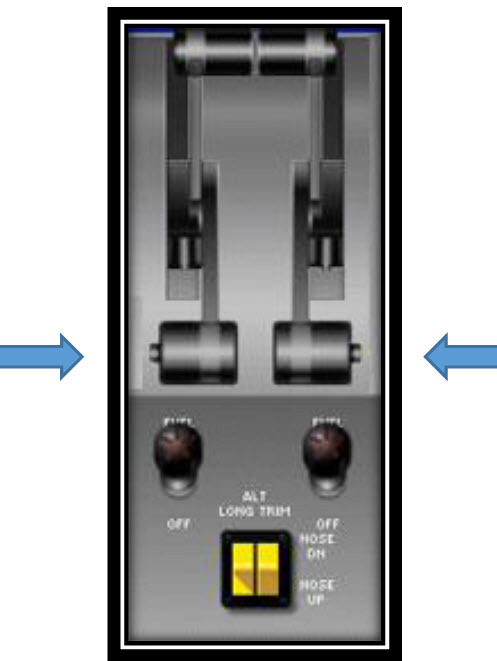
PUSH – Disconnects the autothrottle system (ATS OFF message will flash in red on the PFD)
Pushing either switch again will stop the ATS OFF message flashing. It will also change the ATS OFF message to white if ATS re-engagement is available OR amber if a condition exists that precludes ATS re-engagement
Recall features of the GA Switches
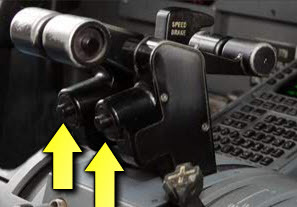
Pushing either switch causes aircraft to enter the go-around mode as follows:
- FDs pop-up to GA (even if off)
- AP, if on, will follow FD commands
- ATS goes to go-around thrust limits
- Parallel rudder is active
- Bank limited to 10 degrees
- Reference speed, PITCH and GO-AROUND appear on FMA
- Windshear guidance comes on if windshear warning is active
Recall features of the Reactive Windshear Alert and Guidance System (WAGS)
- During takeoff, approach and go-around, the reactive WAGS system provides visual/aural warnings and AP/FD windshear guidance throughout a windshear event
- Visual warnings are RED for decreasing performance windshear and AMBER for increasing performance windshear
- On takeoff, WINDSHEAR will flash on the PFD and FMA speed/altitude windows followed by three cycles of TAILWIND SHEAR or HEADWIND SHEAR aural warnings
- On approach and go-around, the same visual and aural annunciations activate HOWEVER, during an approach, guidance will not come on unless a go-around is initiated by pressing either GA button OR advancing the throttles past the 95% GA thrust limit after windshear is detected
- **Note: Once the GA is initiated, the ATS, if off, will come on automatically and advance to GA thrust AND the flight directors, if off, will pop up and provide windshear guidance until the windshear event no longer exists
- GPWS is inhibited while following the FDs during windshear guidance. TCAS is also inhibited except for TA advisories on the ND
Recall features of the Autothrottle System (ATS)
- Engaged by pushing the AUTO FLIGHT button on the FCP (or PROF button)
- Will prevent engines from exceeding thrust limits
- If on, will RETARD the throttles to idle at a designated altitude during landing
- Always maintains a speed above stall speed and below maximum speed for any configuration—even if ATS is off (will engage automatically to provide speed protection)
**Note: It must be noted, however, that VERT SPD will take priority! If an excessive VERT SPD descent is commanded, the throttles will retard to idle and the aircraft will attempt to satisfy aircraft vertical speed demands. In this case, aircraft speed limitations may be exceeded!

-
1. Aircraft General19
-
2. Air Systems28
-
3. Anti-Ice/Rain16
-
4. Automatic Flight18
-
5. Communications16
-
6. Electrical25
-
7. Engines/APU35
-
8. Fire Protection12
-
9. Flight Controls29
-
10. Flight Instruments24
-
11. Flight Management/Navigation10
-
12. Fuel12
-
13. Hydraulics7
-
14. Landing Gear15
-
15. Warning Systems14
-
Aircraft Limitations9
-
QRH Memory Items8



