resource group
grouping of your services for project or app. pricing, budget, permissions. policies
performance (stand./premium)
premium: uses solid state drives, more expensive, better perform. changes access tier, replication,
4 Services Offered in Azure Storage
Blob: any type of unsctructured data
Table: NoSQL non-relational data tables
File: similar to OneDrive/GoogleDrive, attaches to multiple VMs for read/write access
Queue: message storage
Attributes of Azure Storage (CAASS)
Cost Effective
Available & Durable: redundant & replication of data
Accessable: REST APIs, SDKs (software dev. kit), Azure CLI (Command Line Interface), Powershell, Storage Explorer, AzCopy
Security: private endpoint, user access, HTTPS, vitrual networks, encrypted data
Scalable
5 APIs of Cosmos DB
(Maggie Crosses The Street w/ Greg)
(details)
SQL: json format
Table: key-value pairs (think dictionary in python)
MongoDB: json format (file storage) - tree shaped data instead of rows and columns
Casandra: wide column data
Gremlin: graph data
Account Selection
For Standard performance, what account types can you select and what replication options are offered?
For Premium performance, what account types can you select and what replication options are offered?
Standard
General Purpose v1: LRS, GRS, RA-GRS
General Purpose v2: LRS, GRS, RA-GRS, ZRS, GZRS, RA-GZRS
BlobStorage: LRS, GRS, RA-GRS
Premium
General Purpose v1: LRS
General Purpose v2: LRS
BlockBlobStorage: LRS, ZRS
FileStorage: LRS, ZRS
What functions do you get with the different storage types (5)?
Differences with Premium performance?
General Purpose v1
- support all storage types up to 100 terabytes
- supports all blob storage types: Block, Append, Page, Hierarchical
- used for VMs & VN (virtual networks) still on classic deployment
- Premium: only page blob supported
General Purpose v2
- support all storage types up to 100 terabytes
- supports all blob storage types: Block, Append, Page, Hierarchical
- supports blob access tiers (hot or cold)
- Premium: only page blob supported
BlobStorage
- only avaiable in Standard performance
- supports only block & append blob storages, no other storage types supported
BlockBlobStorage
- only avaiable in Premium performance
- only supports block & append blob storages, no other storage types supported
- does not support blob access tiers (hot or cold)
- designed for high performance low latency, interactive workloads, and mapping apps. (analytics/data trans., ecommerce, quick display)
FileStorage
- only available in Premium performance
- higher performance and lower latency compared to general purpose
- IOPS bursting: 3x input/output per sec.
- billed based on provisioned storage up to 100 terabytes
Setting up an Account: What are the different Networking options (3)?
Public (all networks): all networks can access and the internet
Public (selected networks): prevents internet access
Privant Endpoint: secured access on private virtual networks using an IP address. Connects to on-prem or express route connections, placing Azure services inside you virtual network. Needs a Business Network Zone (BNZ) to function.
What is Blob Soft Delete?
recycled data builted for your blob in case of accidental deletion
3 Blob Access Tiers & Definitions
Hot: lowest acess, highest storage cost. Designed for current data, freq. used)
Cold: higher access, lower storage cost. Designed for older data not used frequently.
Archieved: highest access, lowest storage cost. Data is offline and can take hours to access. Designed for historical, very old data.
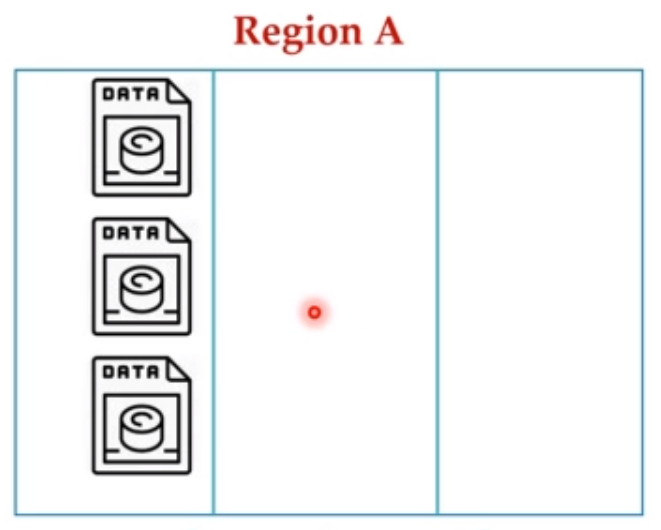
Local Redundant Storage
Replication within a zone, within a region across different hardware racks (also called nodes).
If the zone goes down, data is lost. This is the default replication option.
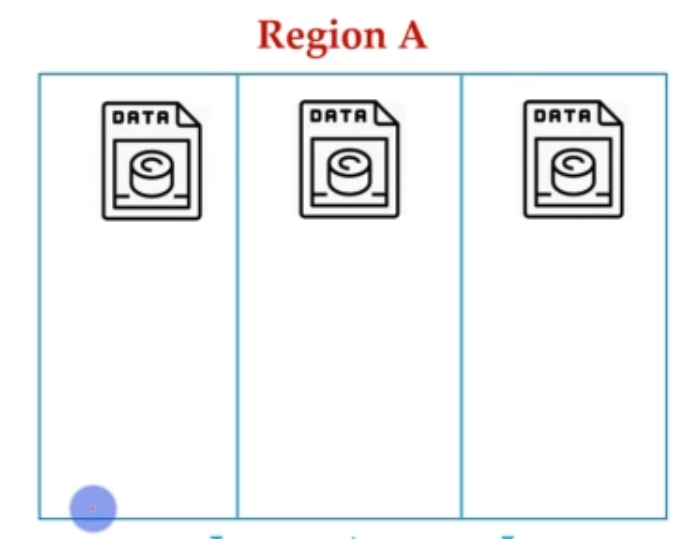
Zone Redundant Storage
Data copied across availability zones
If a region goes down, data is lost
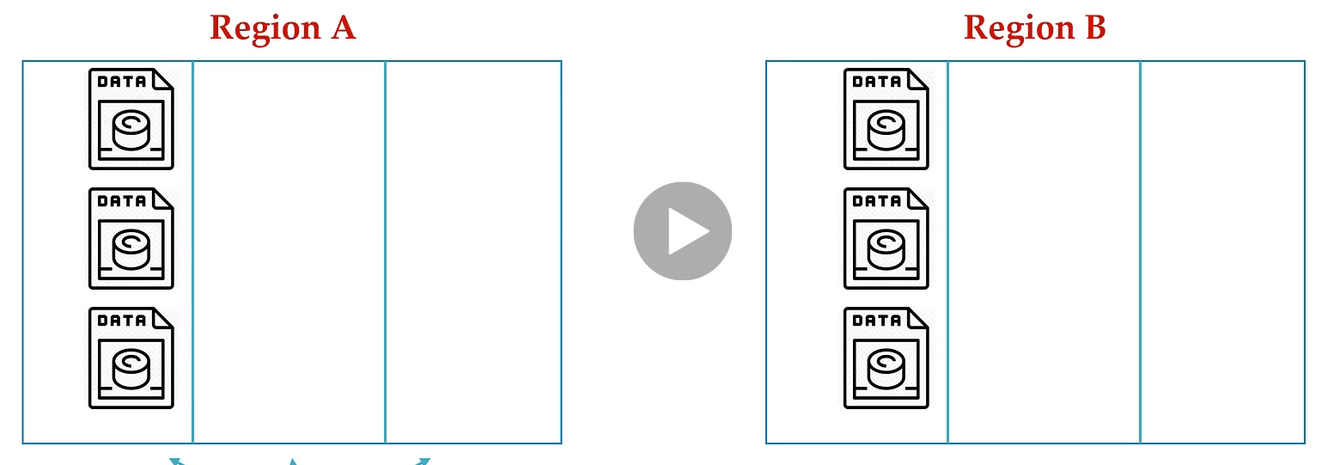
Geo Redundant Storage
Data copied across regions to prevent loss of data in the event a natural diasters. Generally done within the same country.
Data in secondary region is not available to applications without a failover initiated by MS. If region A goes down MS will initiate a failover and then your data will be available from region B.
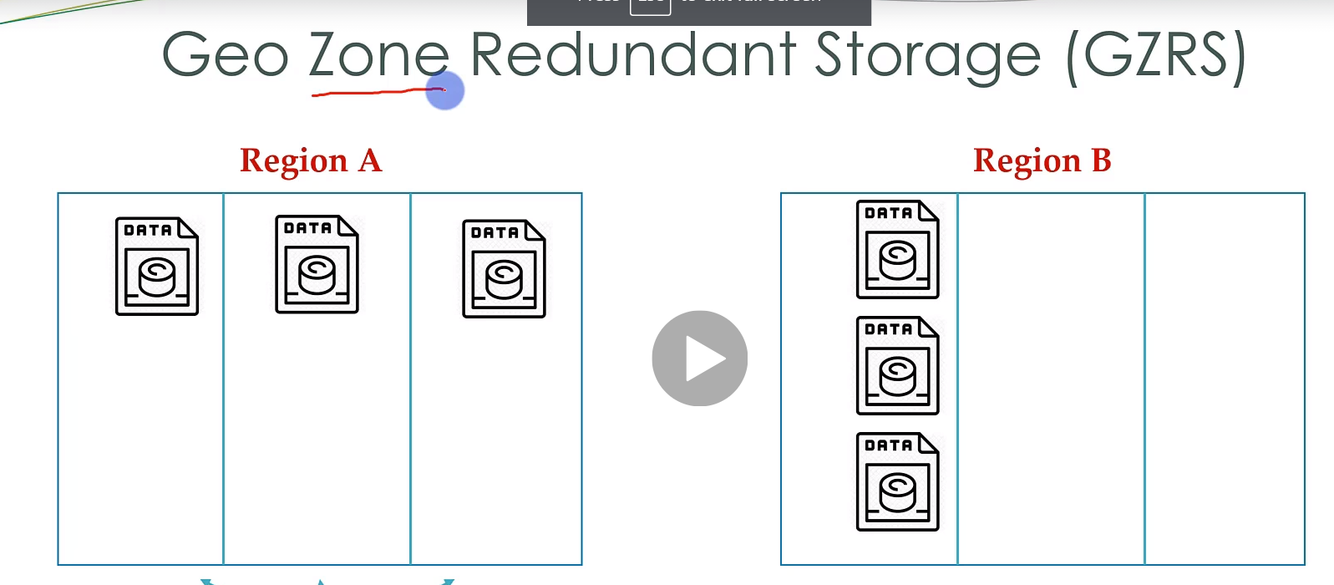
Geo-Zone Redundant Storage
Copied across availability zones within 1st region. Copied within an availability zone in the 2nd region.
Data in secondary region is not available to applications without a failover initiated by MS. If region A goes down MS will initiate a failover and then your data will be available from region B.
High availability and diaster recovery.
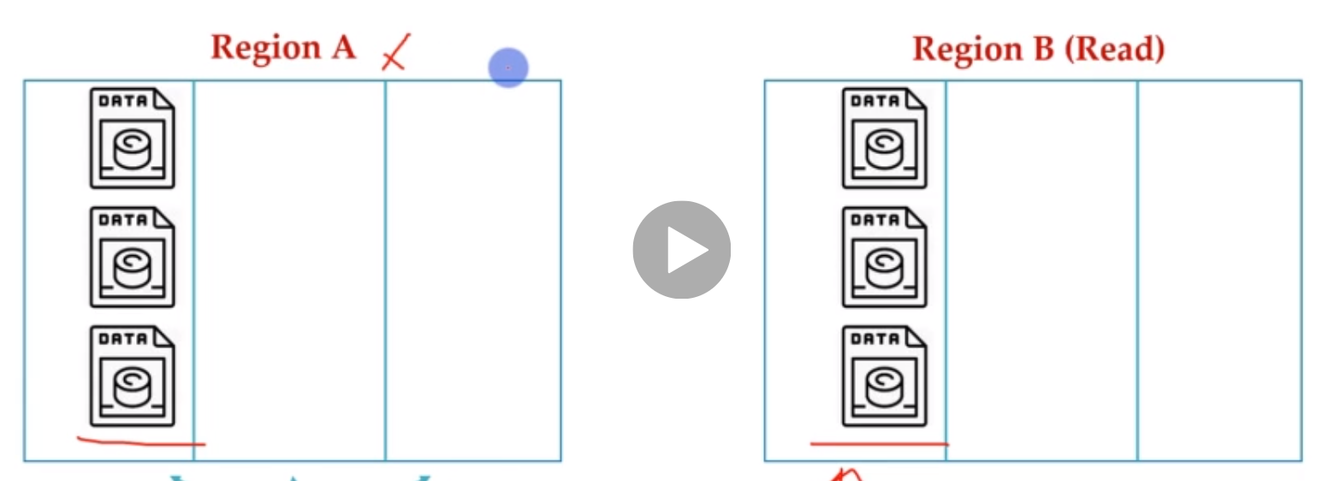
Read-Access Geo Redundant Storage
Data copied across regions to prevent loss of data in the event a natural diasters. Generally done within the same country.
Without failover data is accessable to individuals closest to the region. Data is always avaialable for your applications.
High availability, disasterrecovery, & immediate access in the event of natural disaster.
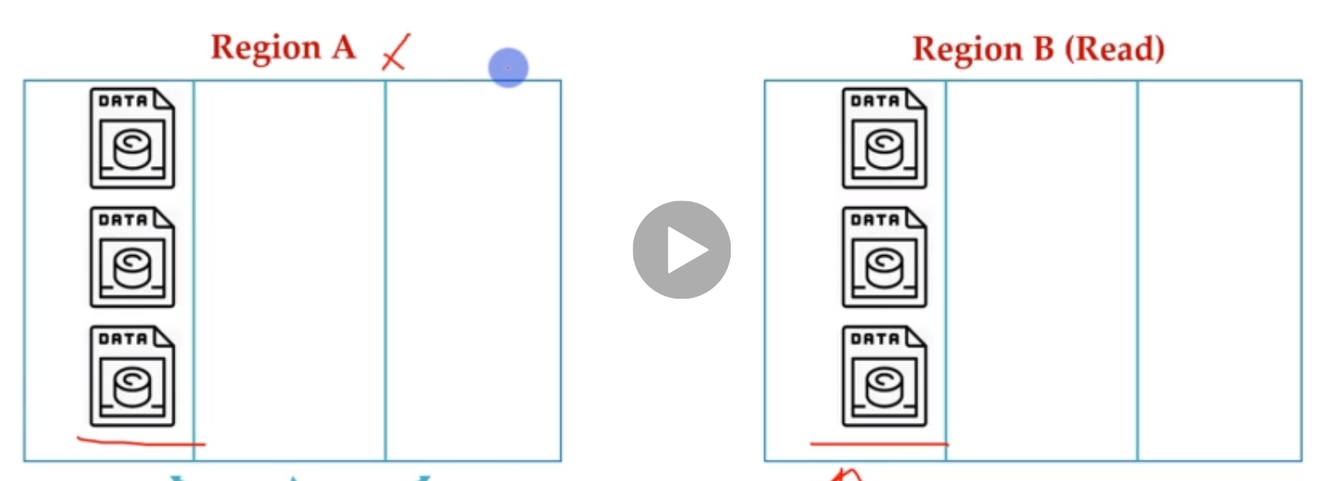
Read-Access Geo-Zone Redundant Storage
Copied across availability zones within 1st region. Copied within an availability zone in the 2nd region. Without failover data is accessable to individuals closest to the region.
Data is always avaialable for your applications
Azure Blob Storage Types (4)
Block: upto 4.7 terrabytes, composed of blocks to optimize data for uploading
Append: append blocks, ideal for logs
Page: VM disk & databses, frequent & random read/write applications.
Hierarchical: allows for collection of files to be organzied into a hierarchy of directories
Advantages (5) & Disadvantages (5)
Azure Blob Storage
Advantages
- designed for all types of unstructured data
- scalable
- cheap
- simple set up, no configuration
- no need for powerful computing to manage
Disadvantages
- no indexes
- no search tooles
- not optimized for performance
- user responsible for replication & syncing
- requires external computing to process
Multi-model Cosmos DB
(4 General Types of NoSQL Databases)
(5 APIs per NoSQL Type)
(provide information about each API)
Document APIs
SQL (Core)
- supports server-side programming model
- supports schema-less data
- json documents
- SQL like for NoSQL
- default programming language after transitioning other APIs into Azure
mongoDB
- all mongo SDKs can interact with Azure API, fully compatable with mongo app. code
- implements “wire” protocol
- bson documents (binary json)
- tree-shaped data instead of rows and columns
Key-Value API
Table
- premium offering for Azure Table storage
- not traditional SQL “table”
- rows can be of different lengths
- row value can be simple number
Wide-Column API
Cansandra
- data is stored in columns, each column is stored seperatly (each attribute is seperated from the other, think of individual list of columns)
- name and format of columns can vary from row to row
- compatible with current, external Casandra
- ways to interact with Casandra
- Casandra base tools
- Data Explorer
- SDK: CansandraCSharpedriver
Graph API
Gremlin
- entity relationships: nodes and edges
- use cases
- geospatial
- recommendation engines
- social networkds
- IoT
- Presist relationships at the storage layer
- no model required
Redundancies Available in Cosmos DB
Geo-Redundant
Multi-Region Write
Availability Zone
Encryption in Cosmos DB
(defaults & choices)
Default
- encryption is always set at rest (stored data)
Choices
- Service Managed: Azure managed
- Customer Managed: User set encryption and key
Latency
(definition & mitigation)
Latency is the wait time between request and response. It is migitated by housing the server as close as possible to the user.
Throughput
(definition, when is the amount set, in what units does Azure manage throughput & the calculation)
Throughput is the number of requested that can be processed by the database within a given timeframe. The Throughput amount can be defined either at database level or a the container level. If throughput exceeds the alotted time an error is thrown.
Cosmos manages throughput in request units (RU)
RU calculation: Memory + CPU + IOPs (input/output proessing per second)
Container
Componenets (5) & Names per API (3 for each API)
Components
- Database
- Throughput
- Container ID
- Partition Key
- Analytical Store
SQL API
Database is defined as Databse
Container is defined as Container
Item is defined as Document
Cassandra API
Database is defined as Keyspace
Container is defined as Table
Item is defined as Row
MongoDB API
Database is defined as Databse
Container is defined as Collection
Item is defined as Document
Gremlin API
Database is defined as Databse
Container is defined as Graph
Item is defined as Node of edge
Table API
Database is not defined
Container is defined as Table
Item is defined as Item



