three types of SQL keys
- Primary key
- Foreign key
- Composite key
Auto Increment Field
often used primary key field
To let the AUTO_INCREMENT sequence start with another value, use the following SQL statement:
Syntax:
ALTER TABLE Table_name AUTO_INCREMENT=amount;
different possible inputs to tables
- direct input - one record at a time using
- existing file - in bulk by uploading structured data from an existing source file
- another table
Adding a row
INSERT INTO Table_name VALUES (“value-1”, …”value-n”);
(values must match number and type of table definition, although NULL values can be included (no quotes))
Importing data in SQL
LOAD DATA LOCAL INFILE “sourcefilename”
INTO TABLE Table_name
FIELDS TERMINATED BY “delimiter” ;
INSERT INTO
used to insert new records in a table
- Syntax 1 :
- INSERT INTO table_name (column1, column2, column3, …)
- VALUES (value1, value2, value3, …);
- Syntax 2 :
- INSERT INTO table_name
- VALUES (value1, value2, value3, …);
- if the column list is omitted, SQL assumes a list of all columns in their original CREATE TABLE order
INSERT & required matching
The list of values provided after the VALUE command must match columnList as follows:
- number of items in each list must be same;
- must be direct correspondence in position of items in two lists;
- data type of each item in dataValueList must be compatible with data type of corresponding column.
SQL DEFAULT constraint
provides a default value
City varchar(255) DEFAULT 'Sandnes‘
Adding default values retrospectively:
ALTER TABLE tableName;
ALTER City SET DEFAULT ‘Sandnes’;
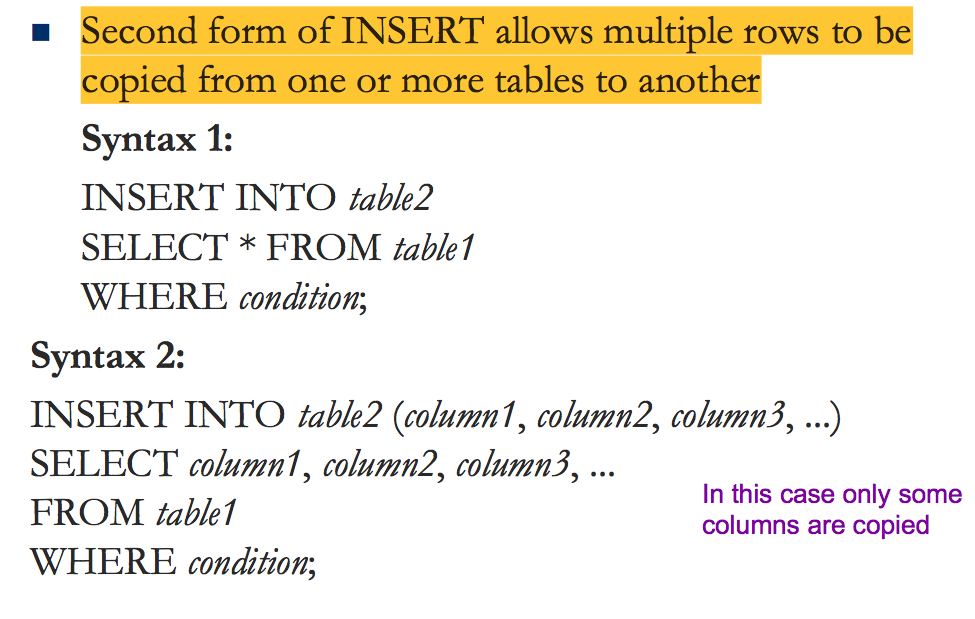
INSERT INTO … SELECT
DELETE FROM table_name;
Deletes all rows, but leaves table structure, attributes, and indexes intact



