What is a Computer Network?
In its simplest form, a Computer Network is nothing more than “two connected computers sharing resources with one another”
It is composed of two main aspects:
- Physical Connection (wires, cables, wireless media)
- Logical Connection (data transporting across the physical media)
What are some of the Basic Networking Rules?
- The computers in a network must use the same procedures for sending and receiving data. We call these communication protocols.
- Data must be delivered uncorrupted. If it is corrupted, it is useless. (There are Exceptions)
- Computers in a network must be capable of determining the origin and destination of a piece of information, i.e., it’s IP and Mac Address.
What the three types of Computer Networking?
Network Architecture:
- Client-Server
- Peer-to-Peer
- Converged Network
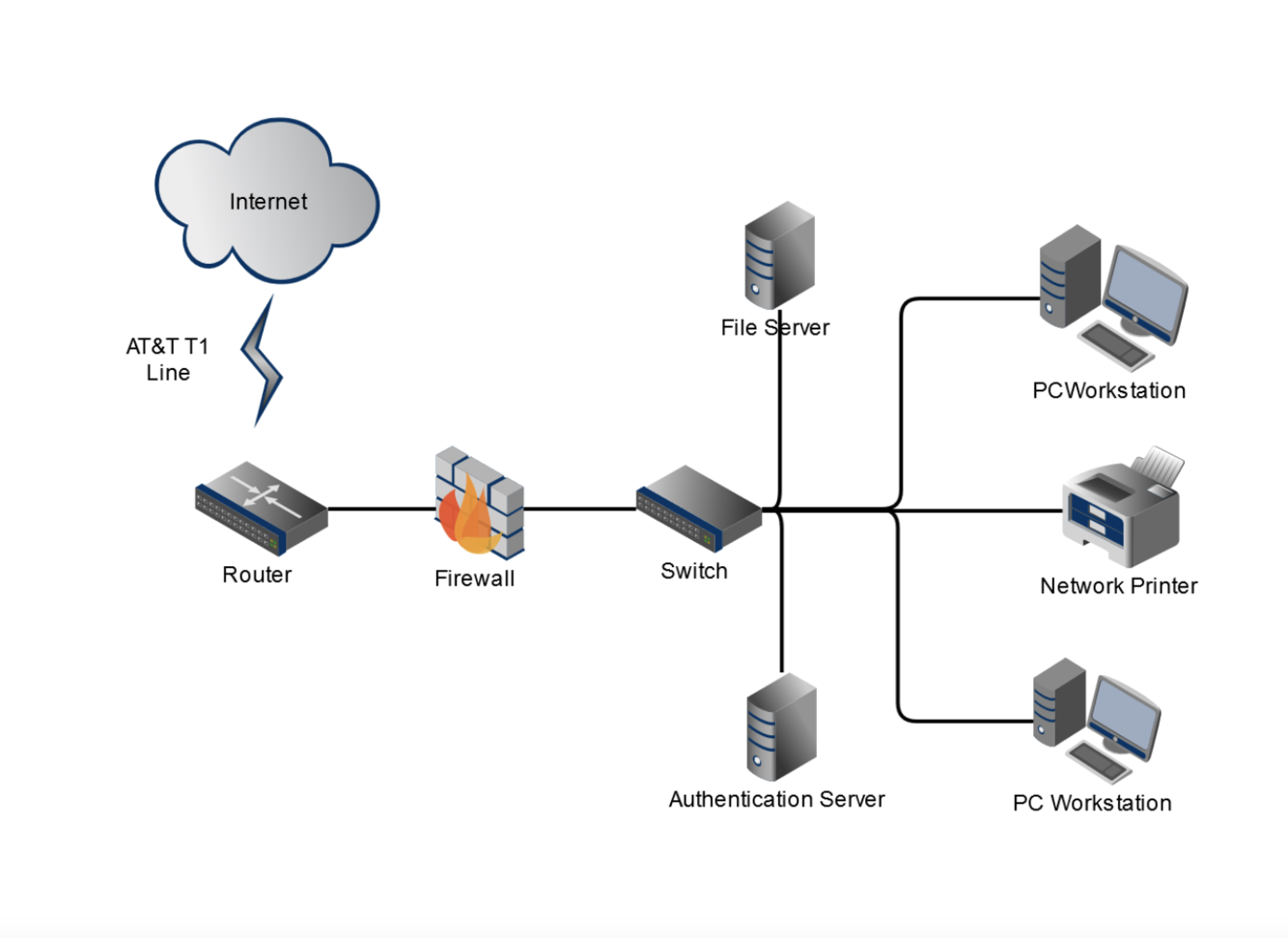
How does the Client-Server Network Work?
- Network is Composed of Clients and Servers
- Servers Provide Resources
- Clients Receive Resources
- Servers Provided Centralized Control Over Network Resources (files, printers, authentication, etc.)
What is Client-Server Architecture (Pros and Cons)?
Advanatages:
- Centralized user accounts, security and access controls to simple netowrk administration.
- More power servers equate to more efficient access to network resources; scales up more efficiently than peer-to-peer
- A single password for network logon delivers access to all resources
Disadvantages:
- Server failure renders a network unsuable or results in loos of network resources.
- Complex, Special-purpose server sofware requires allocation to expert staff.
- Dedicated hardware and specialized software add to the cost of ownership(TOC).
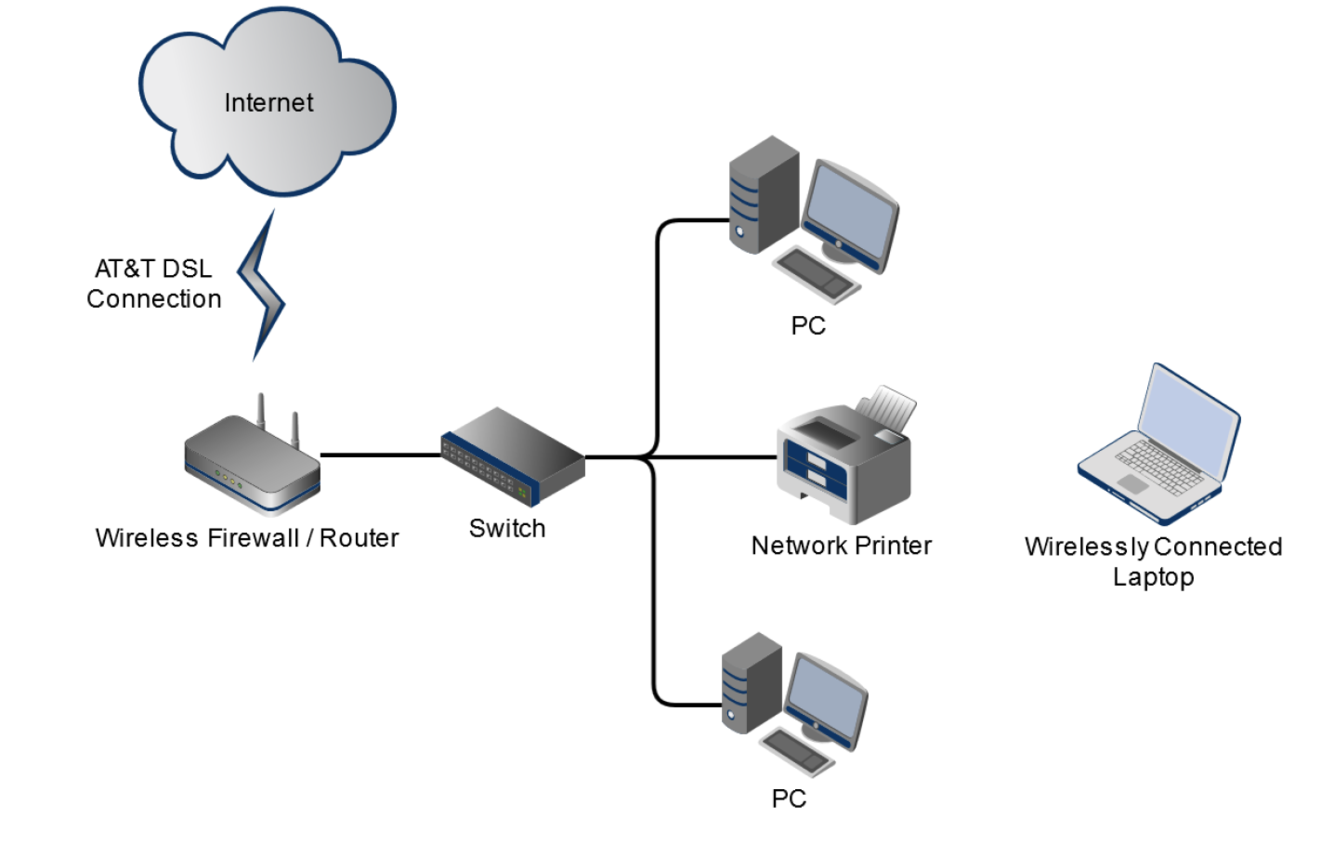
What is Peer-to-Peer Network?
- All Computers on the Network Are Peers
- No Dedicated Servers
- There Is No Centralized Control over Shared Resources
- Any Individual Machine Can Share Its Resources as It Pleases
- All Computers on the Network Can Act as Either a Client (Receive Resources) or a Server (Provide Resources)
What are the Peer-to-Peer Architecture (Pros and Cons)?
Advantages(Pros):
- Easy to install and configure.
- Does not depend on the presence of a dedicated server.
- Individual users control their own shared resources.
- Inexpensive to purchase and operate.
- No dedicated administrators are needed to run the network.
Disadvantage (Cons):
- Network security applies only to a single resource at a time.
- Users may be forced to use as many passwords as there are shared resources (Nodes)
- Each machine must be backed up individually to protect all shared data
- There is no centralized organizational scheme to locate or control access to data
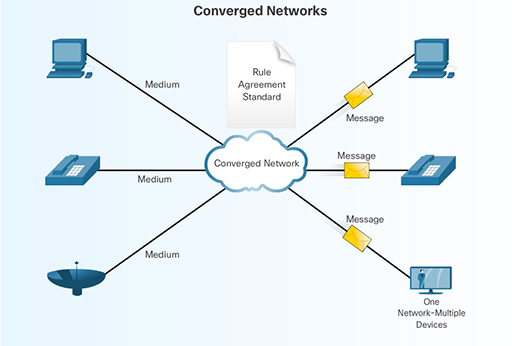
What is a Converged Network?
A Converged Network has multiple types of traffic, this type of network is cheaper to run versus running multiple networks for different types of traffic. A converged network will include the following but not limited:
- Voice
- Video
- Data
Define 7 Types of Networks defined Geographic Location?
- Local Area Network (LAN)
- Campus Area Network(CAN)
- Metropolitan Area Network(MAN)
- Wide Area Network (WAN)
- Storage Area Network (SAN)
- Wireless Local Area Network (WLAN)
- Personal Area Network (PAN)
What is a Local Area Network(LAN)?
A computer network within small geograhical area, such as a single room, building or group of buildings.
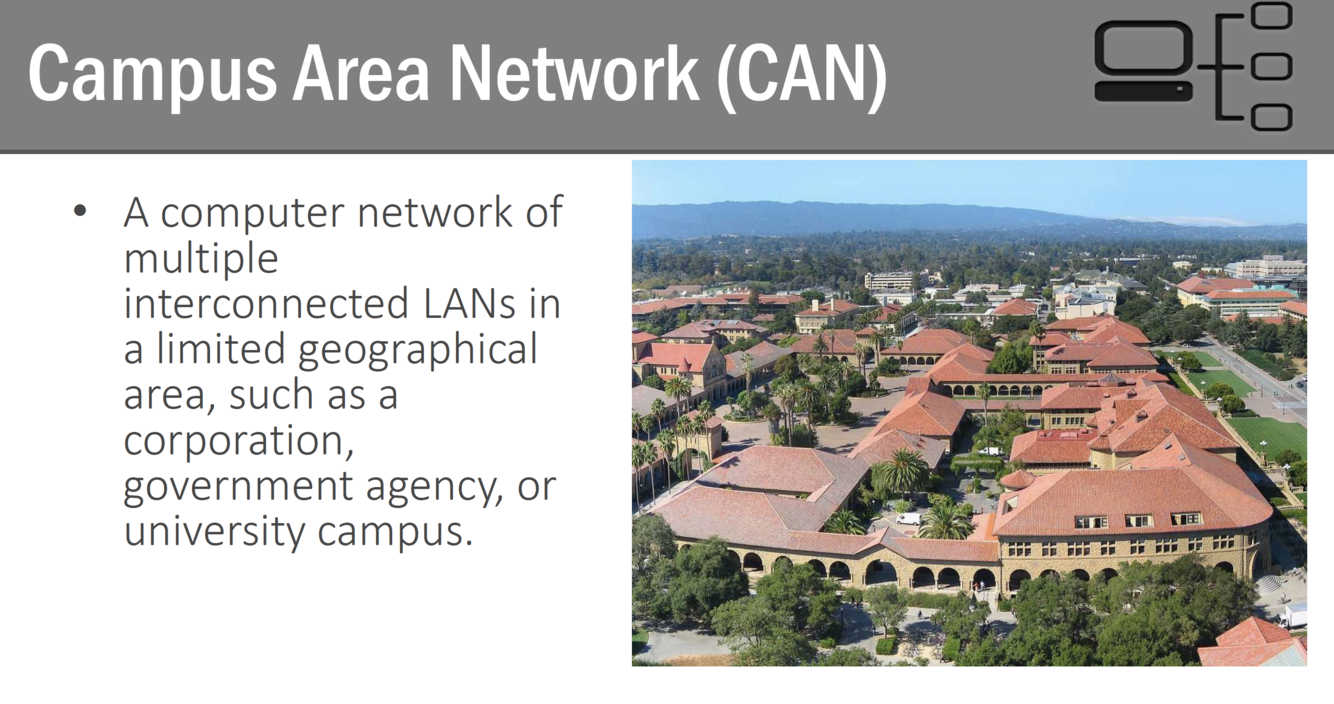
What is a Campus Area Network(CAN)?
A computer network of multiple interconnected LANs in a limited geographical area, such as a corporation, government agency, or university campus.
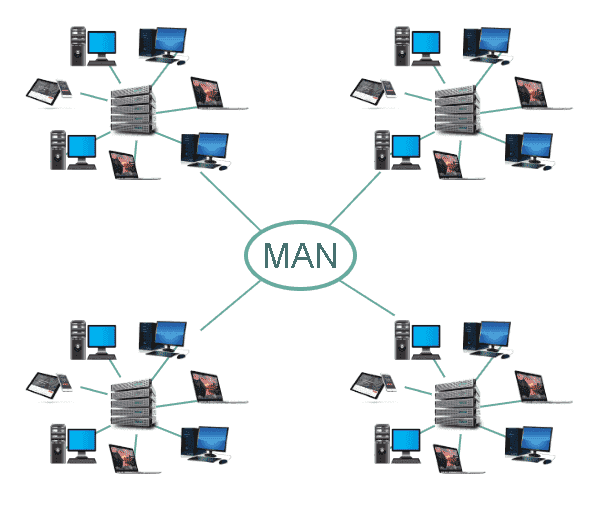
What is a Metropolitan Area Network(MAN)?
A computer network that interconnects users with computer resources in a city.
NB: Larger than a Campus Area Network but smaller than a wide area network.
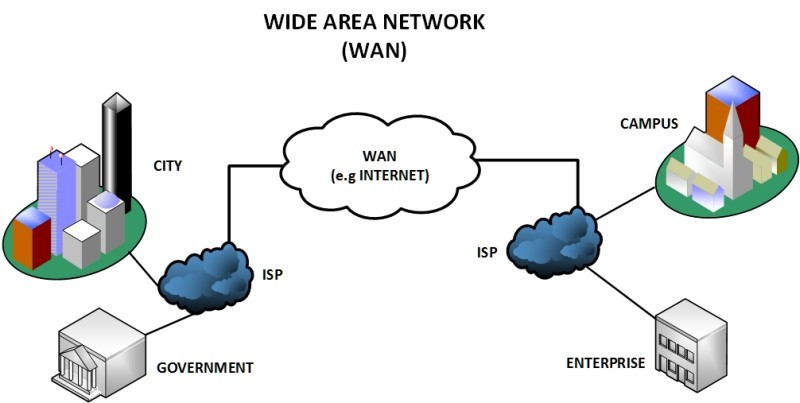
What is a Wide Area Network (WAN)?
A computer network that extends over a large geographical distance, typically multiple cities and countries.
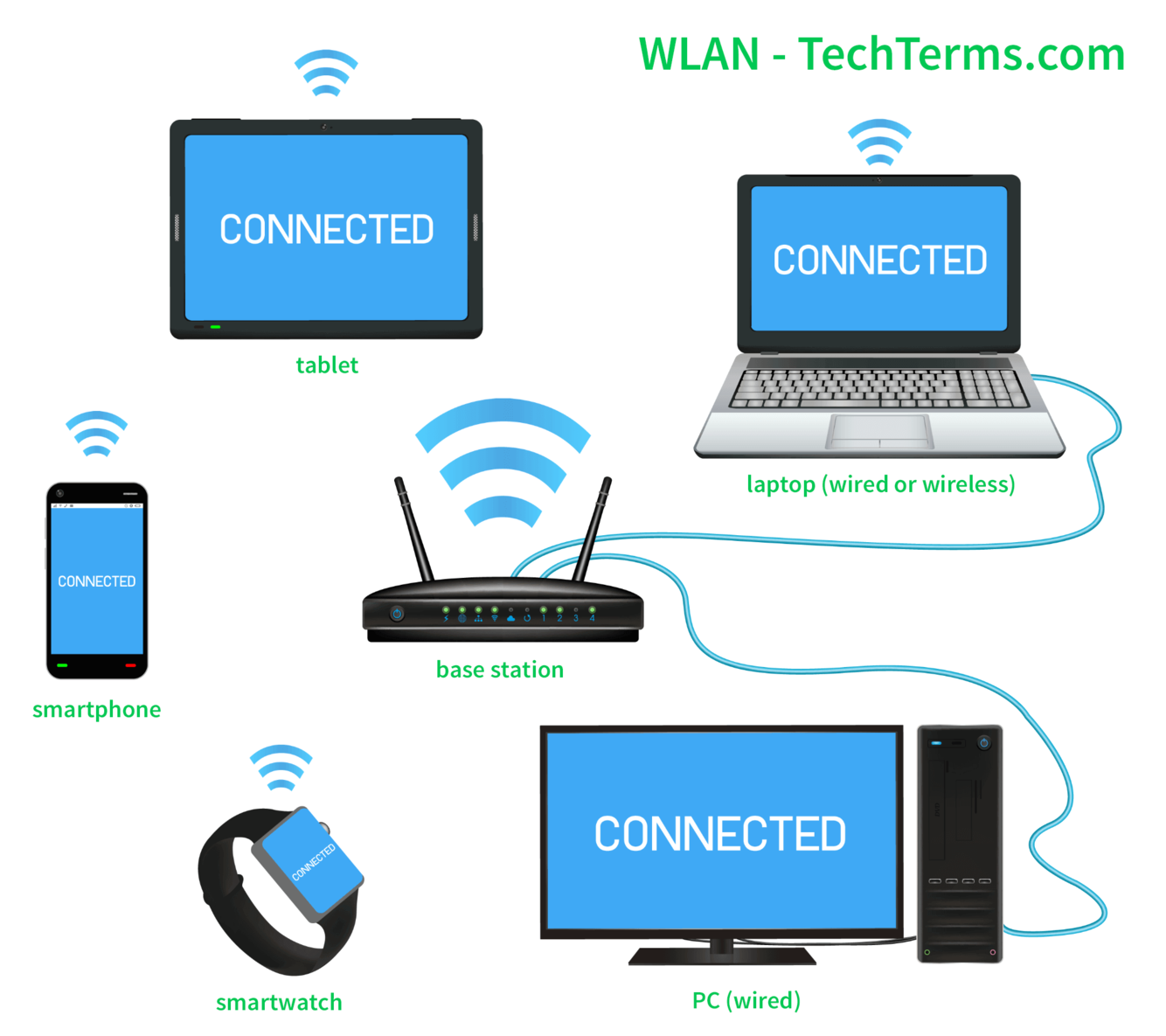
What is a Wireless Local Area Network?
A local area network made up of wireless networking devices is a wireless local area network (WLAN).
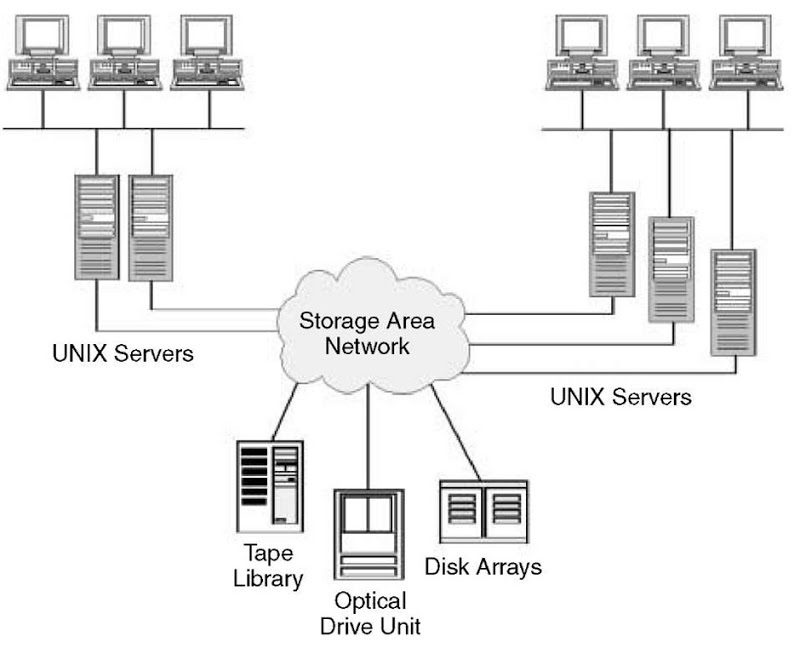
What is a Storage Area Network?
A Storage Area Network (SAN) is a specialized, high-speed network that provides block-level network access to storage
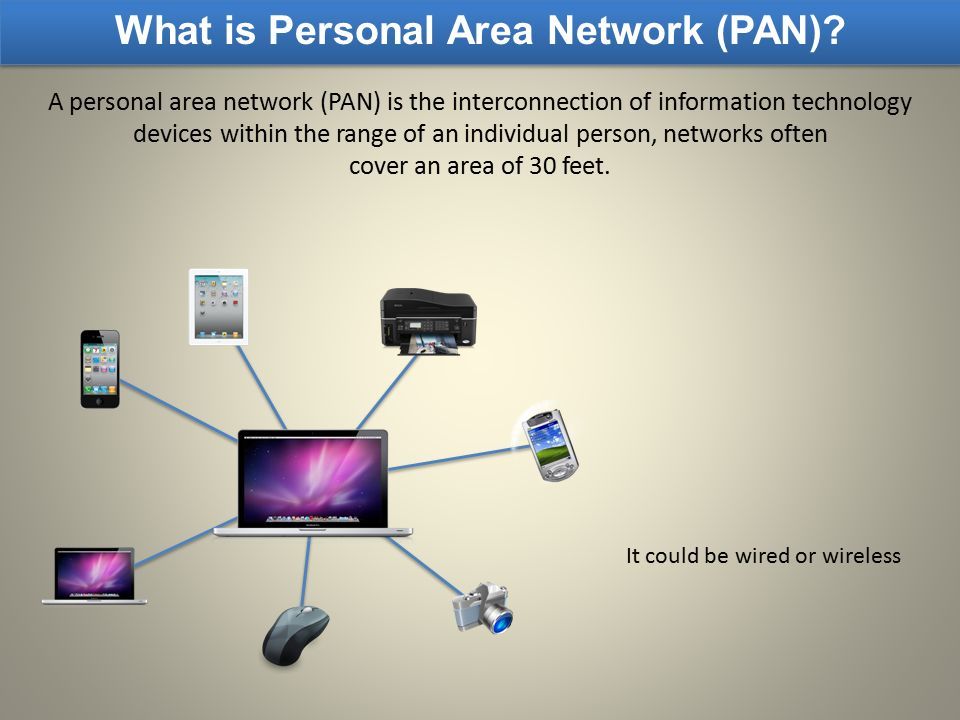
What is a Personal Area network?
A Personal Area Network is a computer network for interconnecting electronic devices within an individual person’s workspace. A PAN provides data transmission among devices such as computers, smartphones, tablets and personal digital assistants.
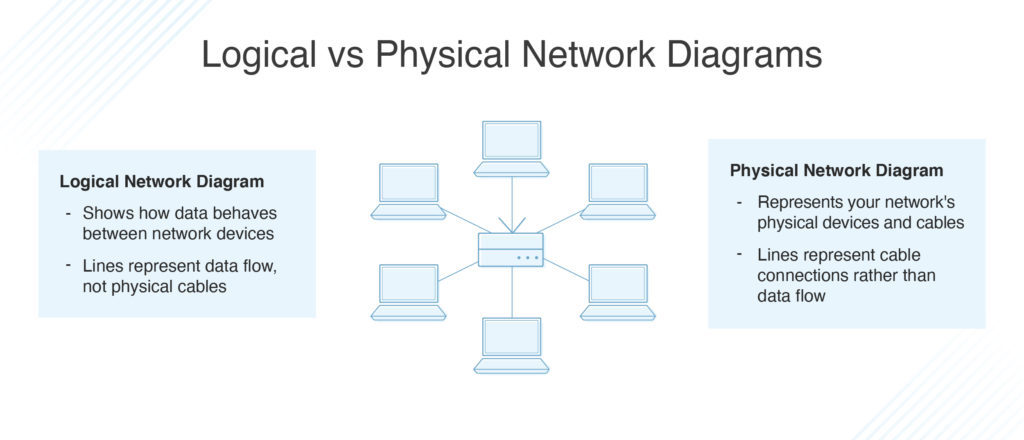
Physical Versus Logical Topology?
A logical topology is how devices appear connected to the user.
A physical topology is how they are actually interconnected with wires and cables. For example, in a shared Ethernet network that uses hubs rather than switches, the logical topology appears as if every node is connected to a common bus that runs from node to node. However, its physical topology is a star, in which every node on the network connects to a central hub
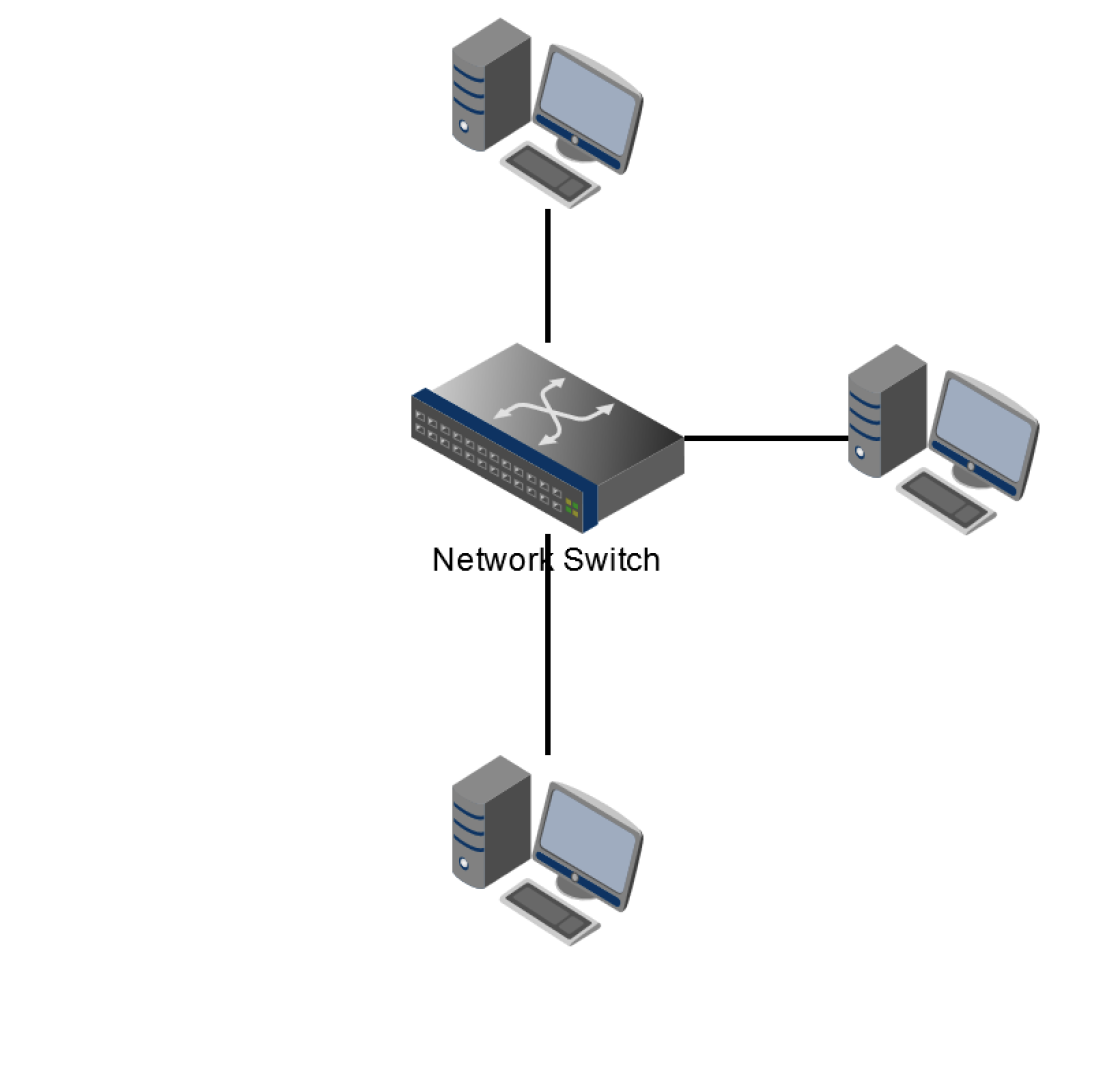
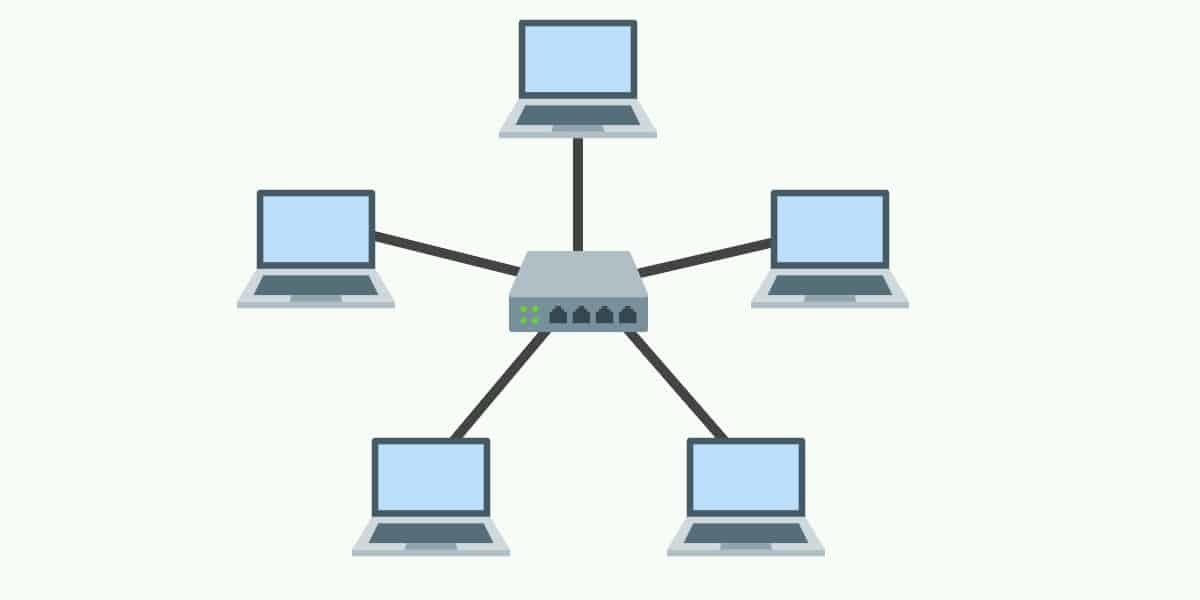
What is the Star Topology?
- The most common wired topology
- All devices are connected to a central device (HUB or Switch)
- Central Device is a single Point of Failure
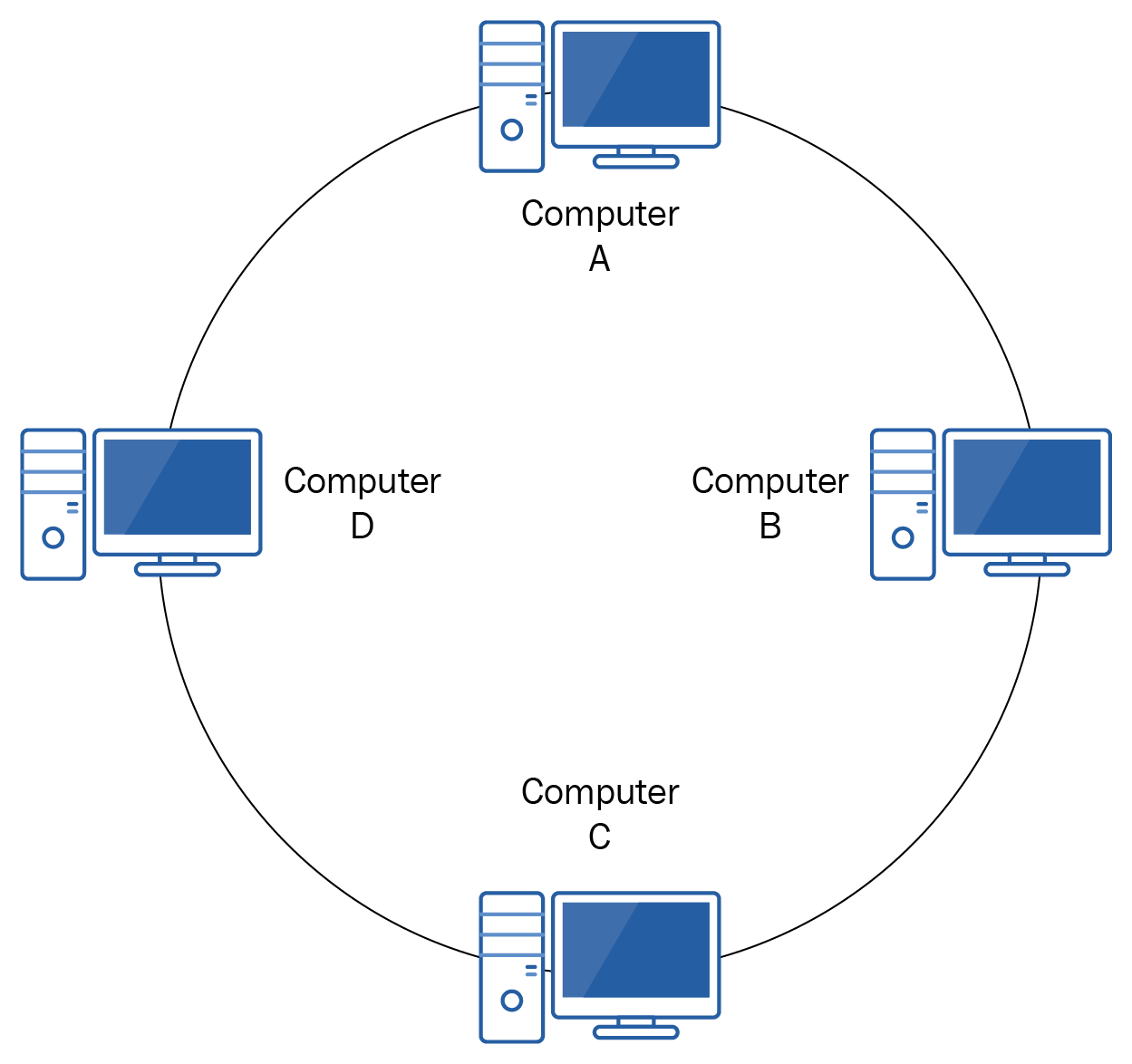
What is a Ring Topology?
- All devices are connected in a circular fashion
- Devices are interconnected by connecting to a single ring or, in some cases (e.g. FDDI (Fibre Distributed Data Interface - Old school 1990s) a dual ring.
- Each computer is connected to two other computers
- Data travels from node-to-node with each computer handling data, either unidirectional or bidirectional.
- Token Rink Networks relied on a Ring Topology.
- Rings have scalbility limitations, specifically, a ring has a maximum length and a maxium number of attached stattions.
- Each device on the ring repeats the signal si receives
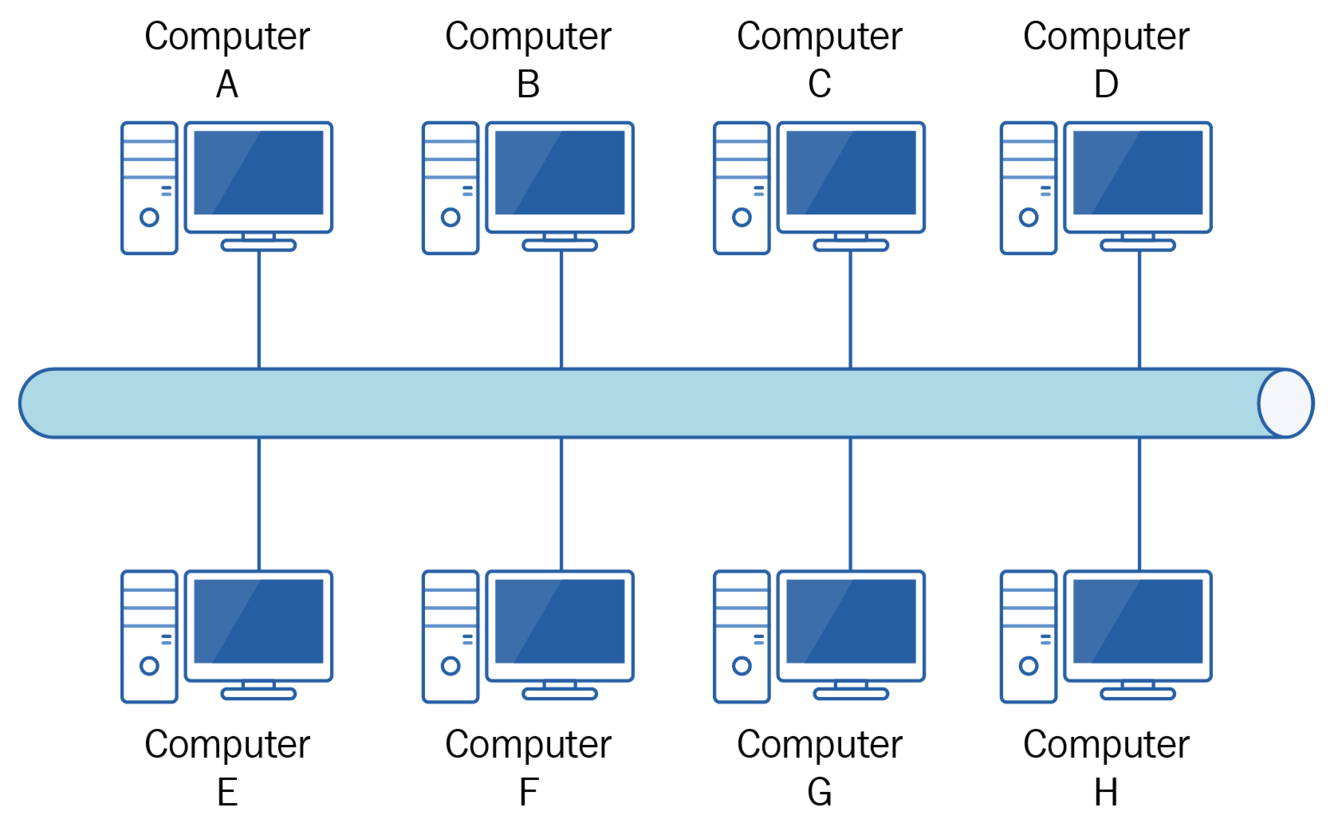
What is a Bus Topology?
- All devices are connected to a single network cable.
- Terminators are required for both ends of the cable.
- A single break in the cable will take down the entire network.
- the computers are connected on a Coaxial Cable using a BNC connector(T- Connectors/Vampire Tap).
- When a terminator is removed the data would bounce back (Signal reflection) data flow is interrupted.
- Adding a devices on a bus topology might cause an outage for other users on the bus.
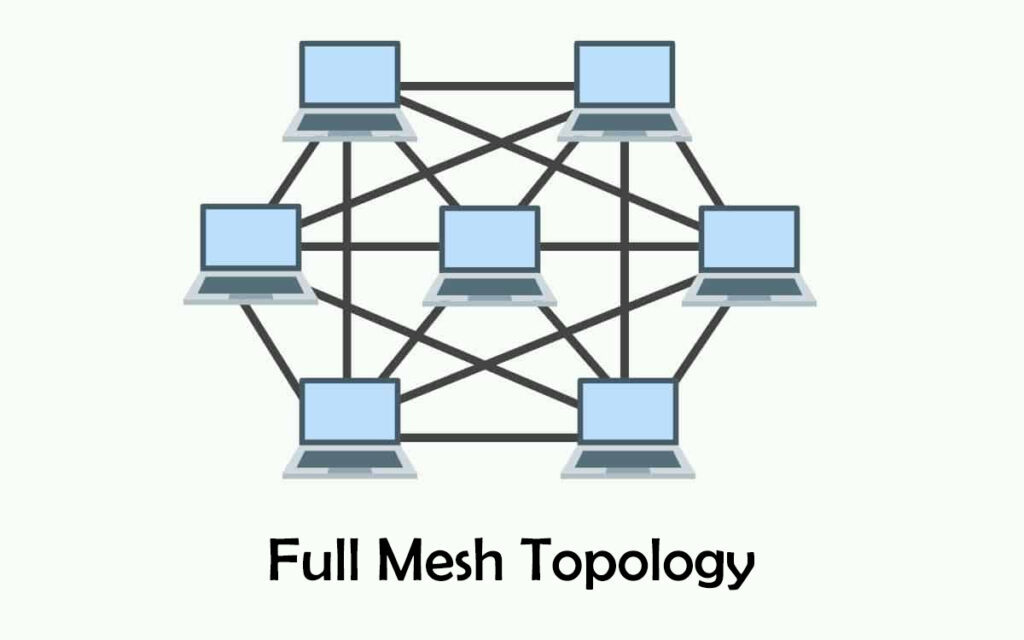
What is a Mesh Topology?
- Each device is connected to every other device by separate cabling.
- Highly redundant and fault-tolerant.
- Used in wide area networks (WAN).
- Expensive to install.
- The internet is a good example of a mesh topology.
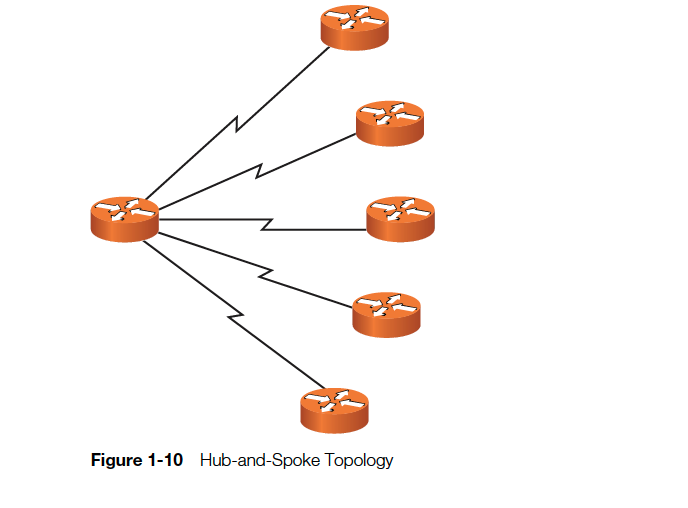
What is a Hub-and-Spoke Topology?
When interconnecting multiple sites (for example, multiple corporate locations) via WAN links, a hub-and-spoke topology has a WAN link from each remote site (that is, a spoke site) to the main site (that is, the hub site). This approach, an example of which is shown in Figure 1-10, is similar to the star topology used in LANs.
With WAN links, a service provider is paid a recurring fee for each link. Therefore, a hub-and-spoke topology helps minimize WAN expenses by not directly connecting any two spoke locations. If two spoke locations need to communicate between themselves, their communication is sent via the hub location. Table 1-4 contrasts the benefits and drawbacks of a hub-and-spoke WAN topology.
- Each remote site (that is,a spoke) connects back to a main site (that is, thehub) via a WAN link.
- Costs are reduced (as compared to a full-mesh or partial-mesh topology) because a minimal number of links is used.
- Suboptimal routes must be used between remote sites because all intersite communication must travel via the main site.
- Communication between two remote sites travels through the hub site.
- Because all remote sites converge on the main site, this hub site potentially becomes a single point of failure.
What is a Full-Mesh Topology?
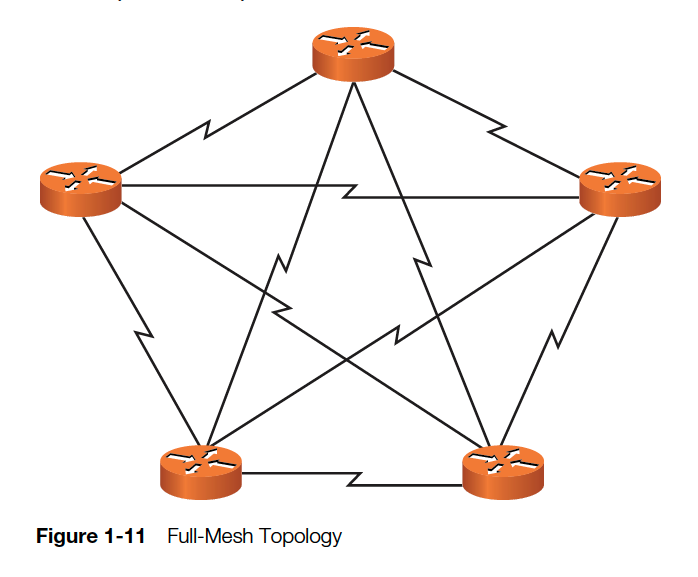
Whereas a hub-and-spoke WAN topology lacked redundacy and suffered from suboptimal routes, a full-mesh topology directly connects every site to every other site.
- Every site has a direct WAN connection to every other site.
- An optimal route exist between any two sites
- A full-mesh network can be difficult and expensive to scale, because the addition of new site requires a WAN link between the new site and every other existing site.
- The number of required WAN connections can be calculated with the formula w = n * (n – 1) / 2, where w = the number of WAN links and n = the number of sites. For example, a network with 10 sites would require 45 WAN connections to form a fully meshed network: 45 = 10 * (10 – 1) / 2.
- A full-mesh network is fault tolerant because one or more links can be lost and reachability between all sites might still be maintained.
What is a Partial-Mesh Topology?
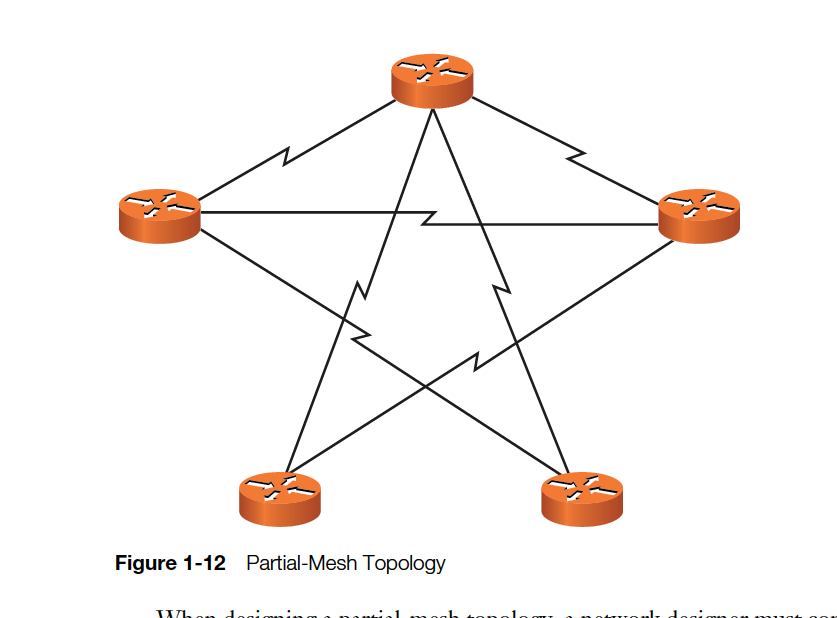
A partial-mesh WAN topology is a hybrid of the previously described hub-and-spoke topology and full-mesh topology. A partial-mesh totpology can be designed to offer an optimal route between selected sites while avoiding the expense of interconnecting every site to every other site.
- Selected sites (that is, sites with frequent intersite communication) are interconnected via direct links, whereas sites that have less-frequent communication can communicate via another site.
- A partial-mesh topology provides optimal routes between selected sites with higher intersite traffic volumes while avoiding the expense of interconnecting every site to every other site.
- A partial-mesh topology is less fault tolerant than a full-mesh topology.