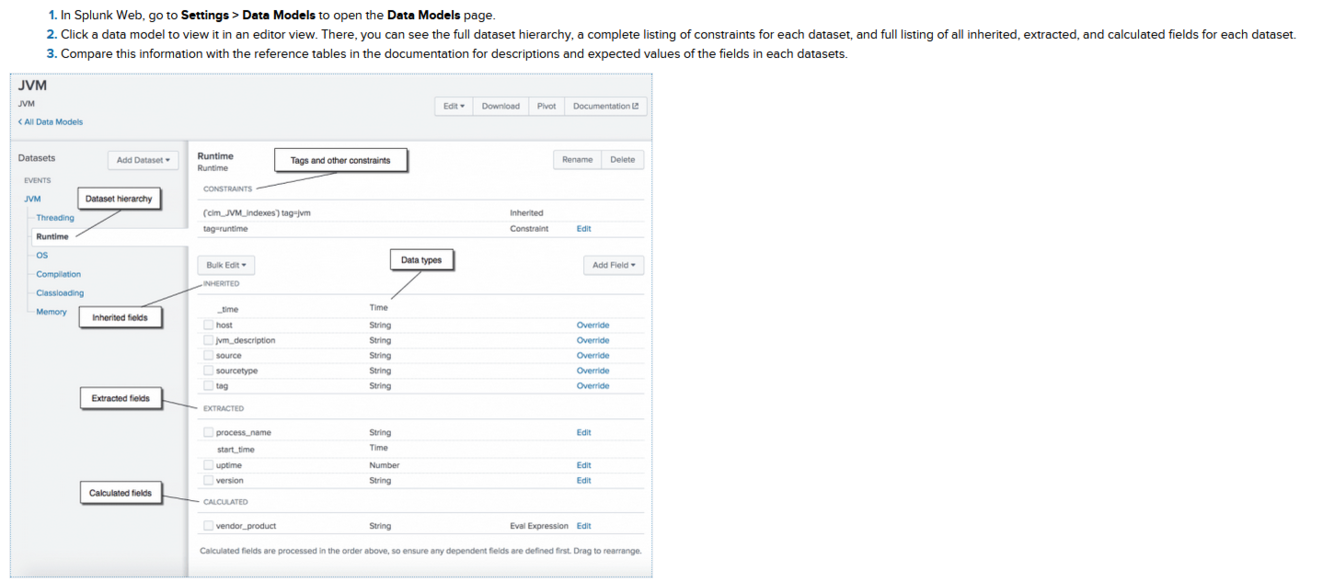
How do we create a chart?
Hint:
Image
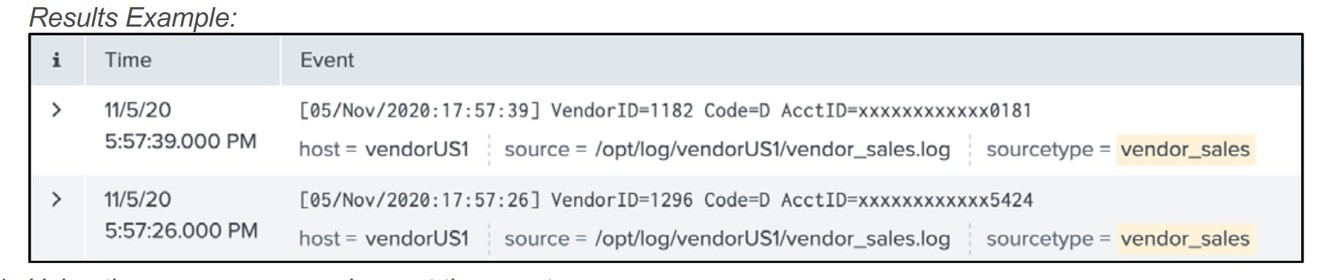
- By using:*
- | chart (x) over (x) by (x)*
- Key information:*
- The chart command has three main functions that you can use to create a chart
- The first variable is reserved usually for count or dc(count)
- The eccond variable is usually reserved for the main data you want to chart over
- The third variable is reserved for a value or data set you want to split the chart by hence the previous word.*
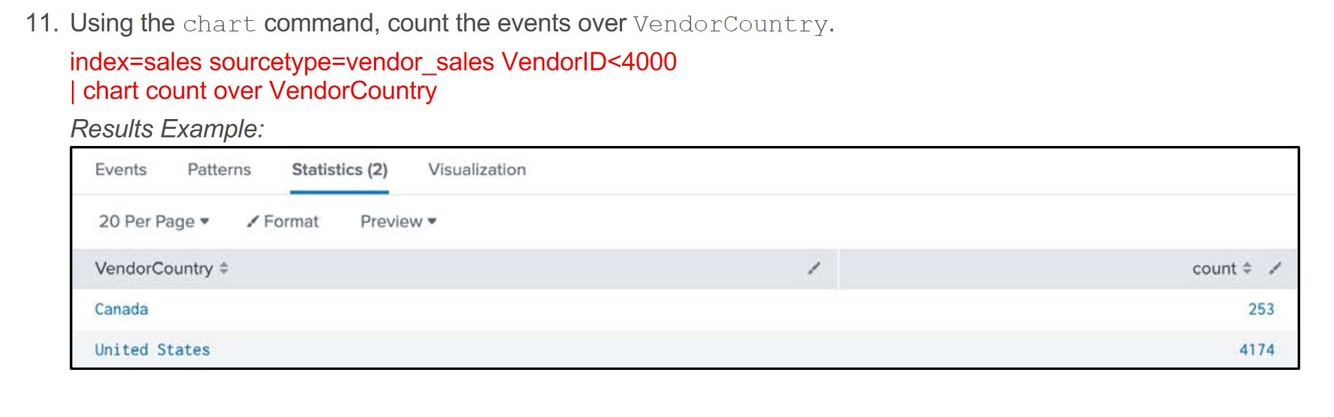
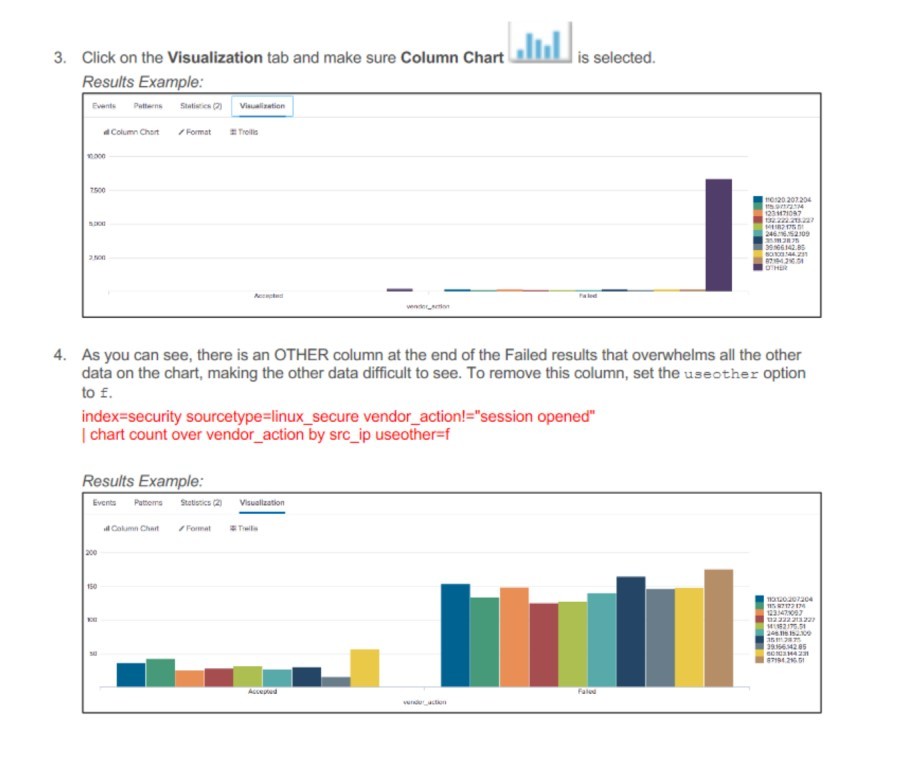
How do we remove the:
Other
**Field from this chart?
Hint: Image**
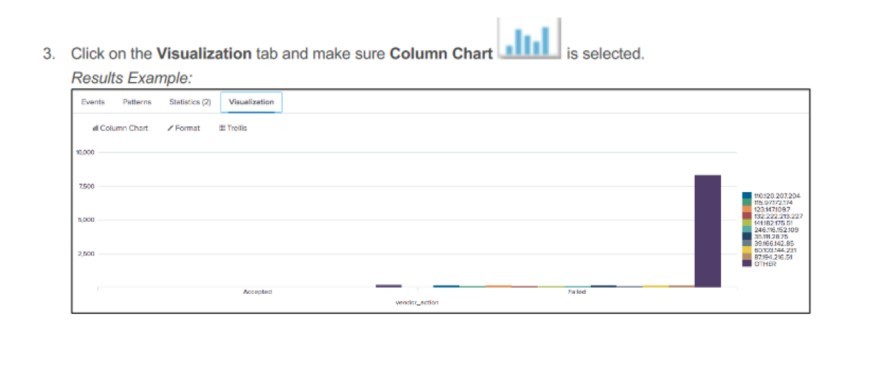
By using:
interesting info:
By adding f it is using the value “false” in order to remove the field
using “true” will add it in if it is not already there in the chart.
useother=f
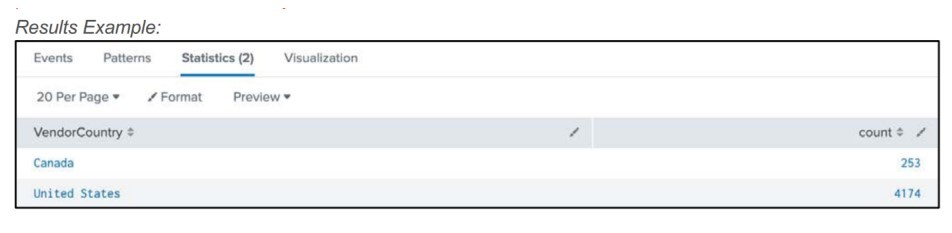
How do we split a chart?
Hint: Image
By adding:
Key info:
Answer is in bold/italic/underline for person reviewing
Additional info:
By is a variable addon for the chart command.
chart (x) over (x) by (x)
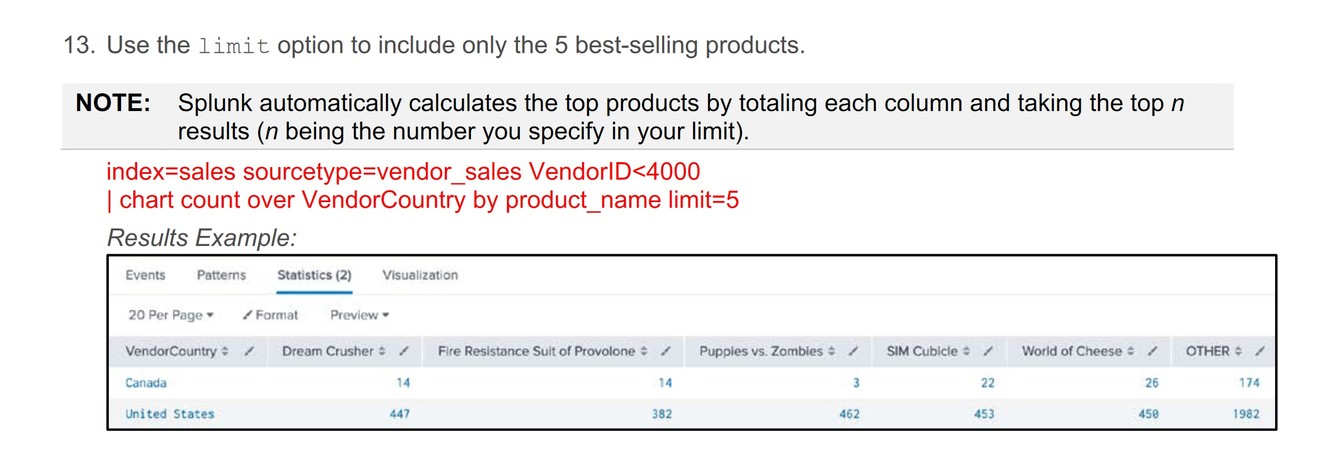
- *How do we limit a chart?**
- Hint: Image*
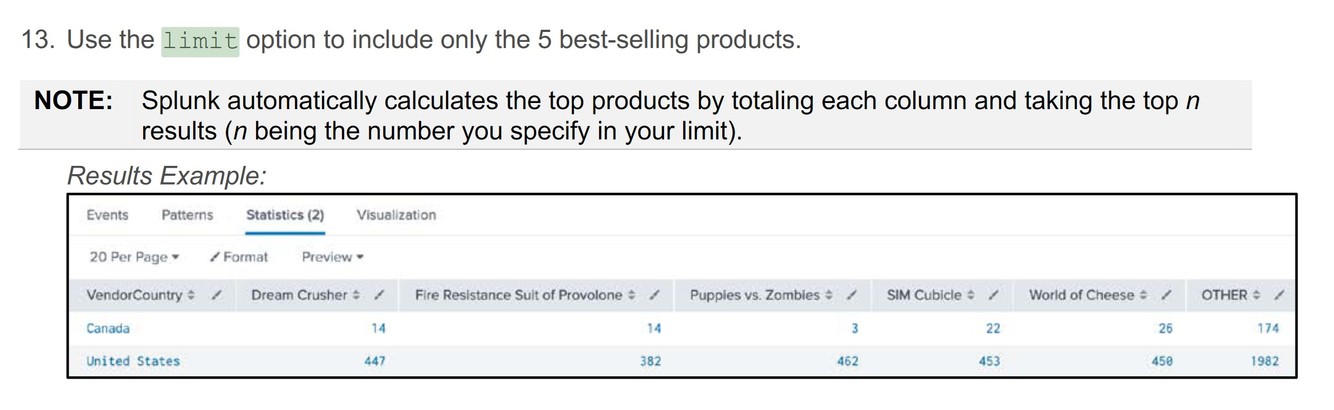
By adding:
Key info:
Answer is in bold/italics/underline for person reviewing
Additional info:
By is a variable addon for the chart command.
“x” is the value used for the limit funtion to define its range.
chart (x) over (x) by (x) limit=x
How do we create a timechart?
Hint: Image
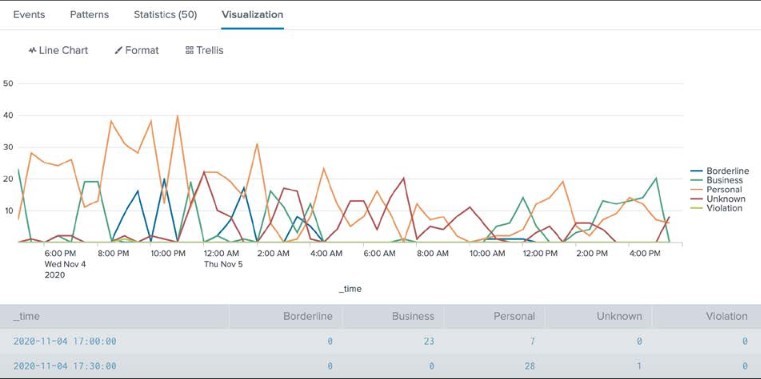
**By using:
Key info:
Answer is in bold/italic/underline for person reviewing
Example: Image
timechart**
count (x) over (x)
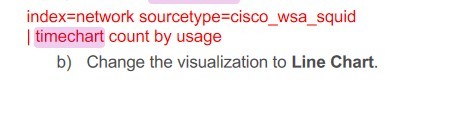
How do we create an eval?
Hint: Image
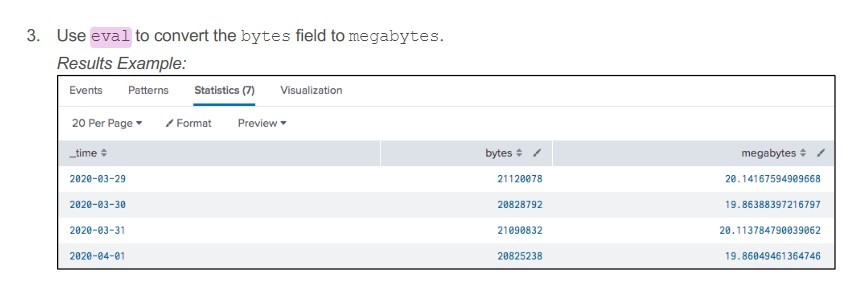
By using:
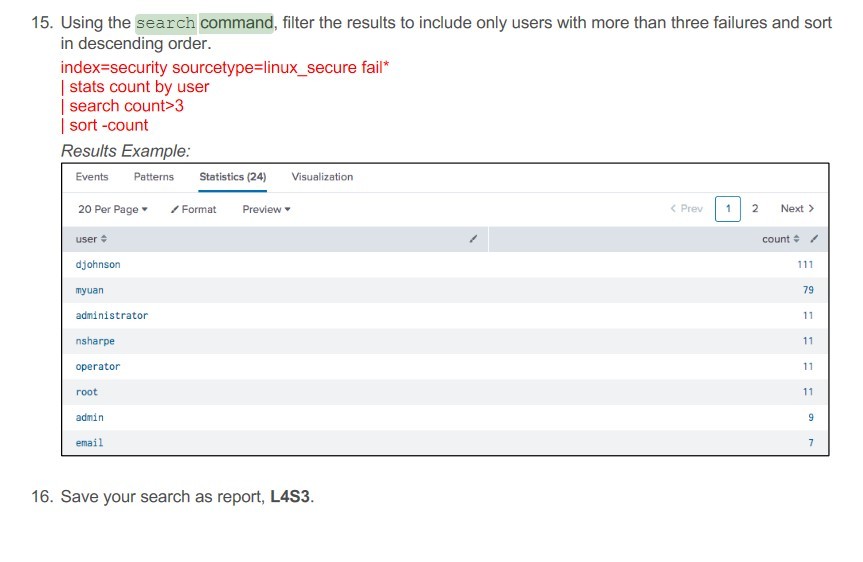
How do we use the search command?
Hint: Image
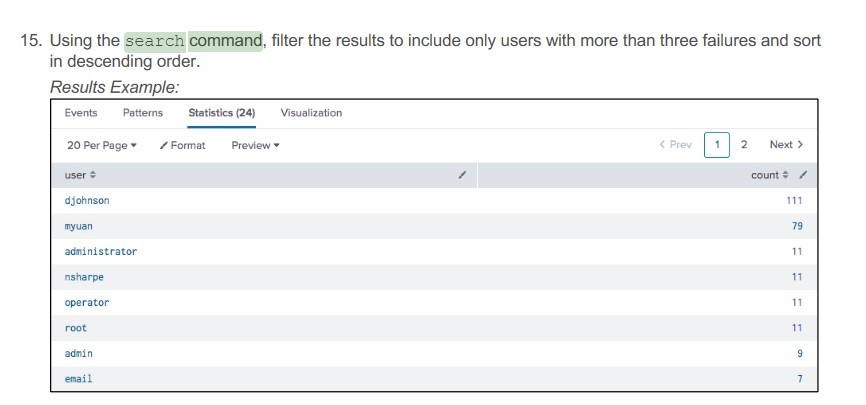
By Using:
| search field (x)
Answer*: Image*
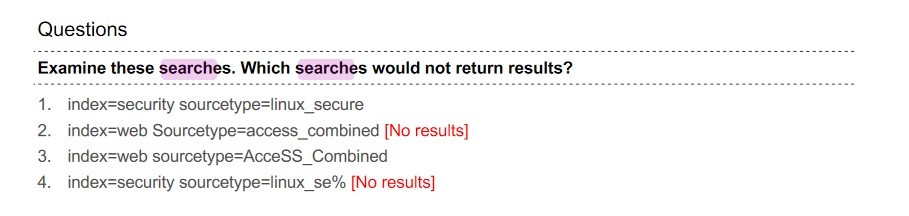
What syntax is best for searches?:
Hint: Image
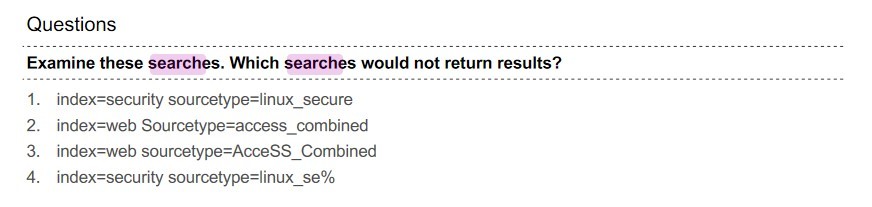
Answer:
**2
and
4
Image Reference:**
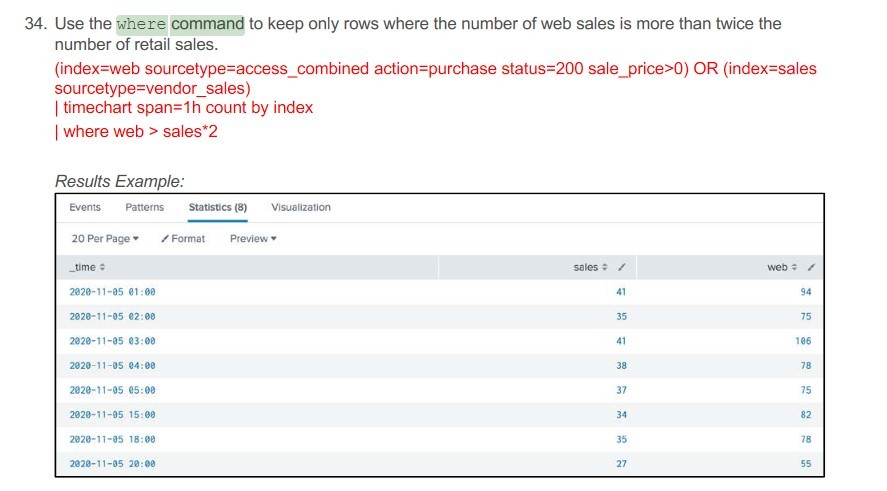
How do we use a where command?
Hint: Image
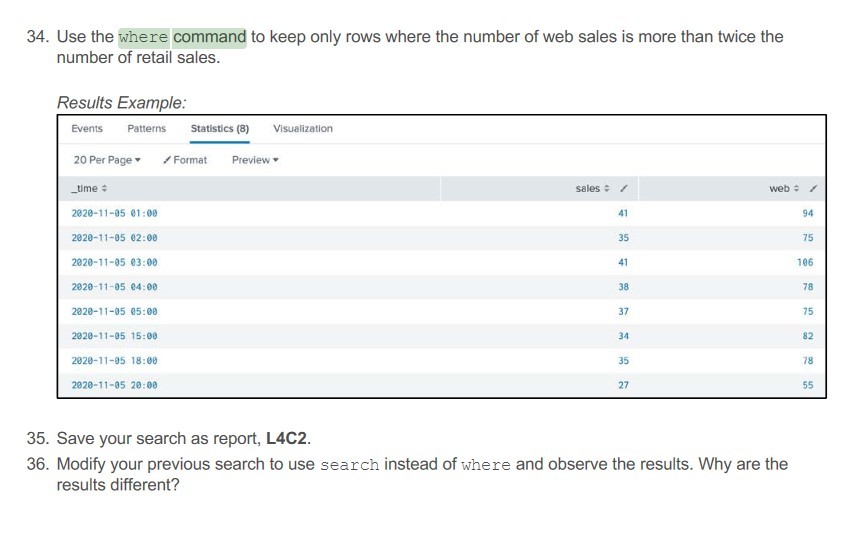
**By using:
Additional Info:
Field: Any field that is within the SPL that is before this command
Function: “, =, != , etc”
x: is any numeric value.
Answer: Image
where (field) (fuction) (x)**
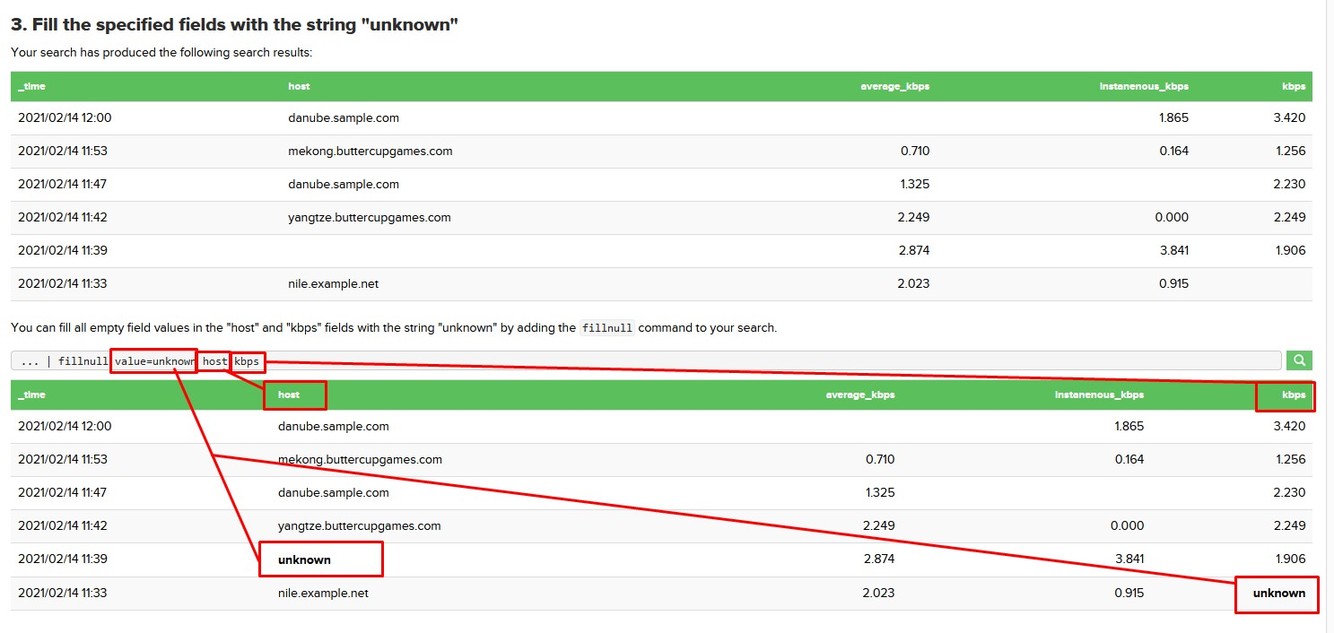
How do we use the fill null command:
Hint: Image

By adding:
- | fillnull value=(x) field field**
- *Additional info:**
- value=: is the function of the command that sets the value of the fill null
field: is any field that is forwarded from the SPL before this command*
Answer: Image
How do we use the transaction command:
Description: Image
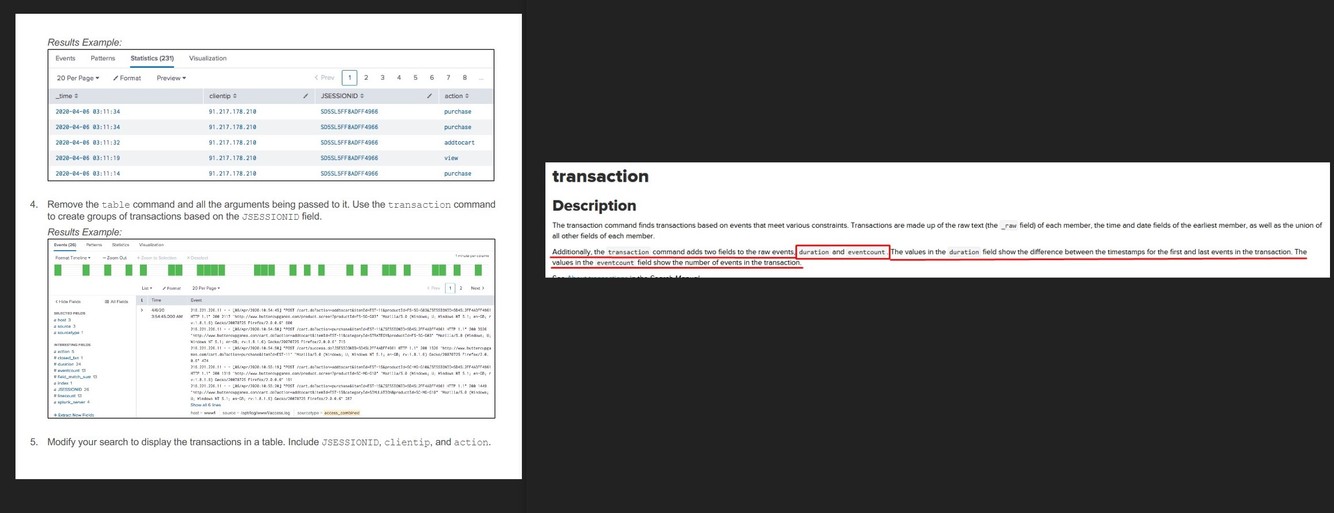
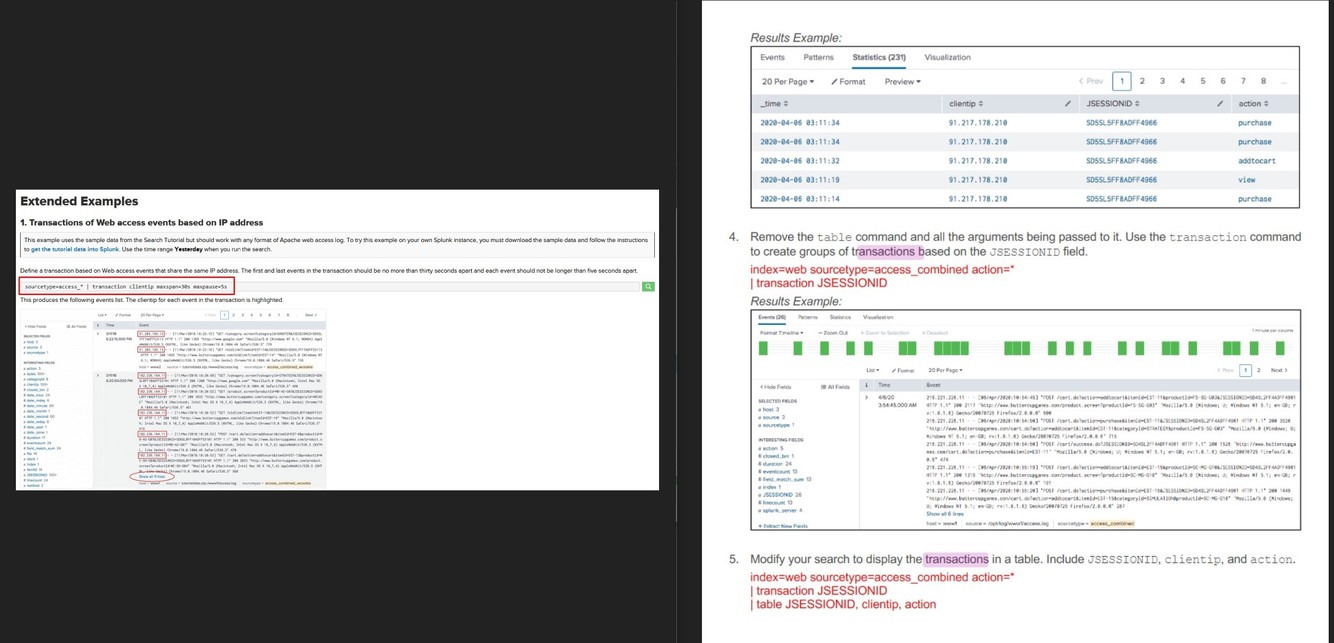
Hint Image
By using:
| transaction field maxspan=(x)s maxpause=(x)s
*Additional Info:
maxspan=(x)s:is used to define the span between the results, i.e the first and last events should not be longer than 30 secconds apart
maxpause=(x)s: is used to define the pause between results, i.e. each event should not be longer than 5 secconds apart
Answer: Image*
***What is a field alias:
Description:**
Image
Hint:*
Image

Answer:
- *Description:**
- A field alias is an alternate name that you can assign a field.*
- *Additional Info.**
- A field can have multiple aliases, but a alias can only be tied to one field. so you cant have two fields tied to one alias.*
- *Answer:**
- Image*

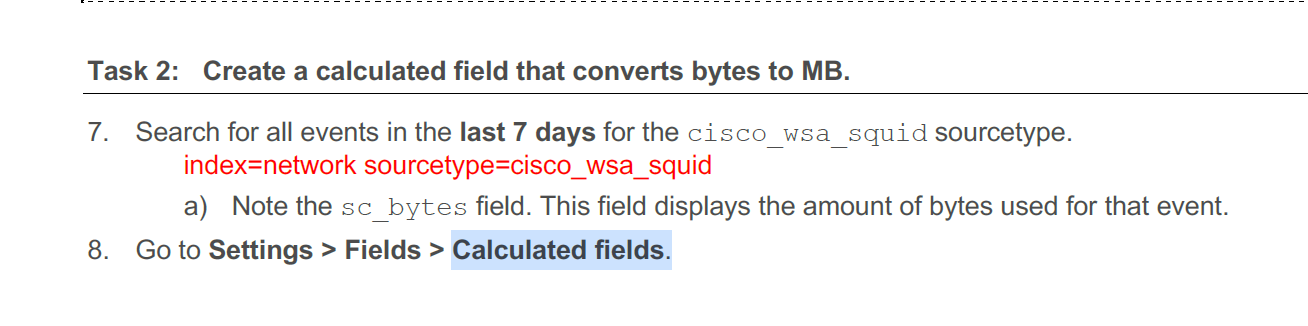
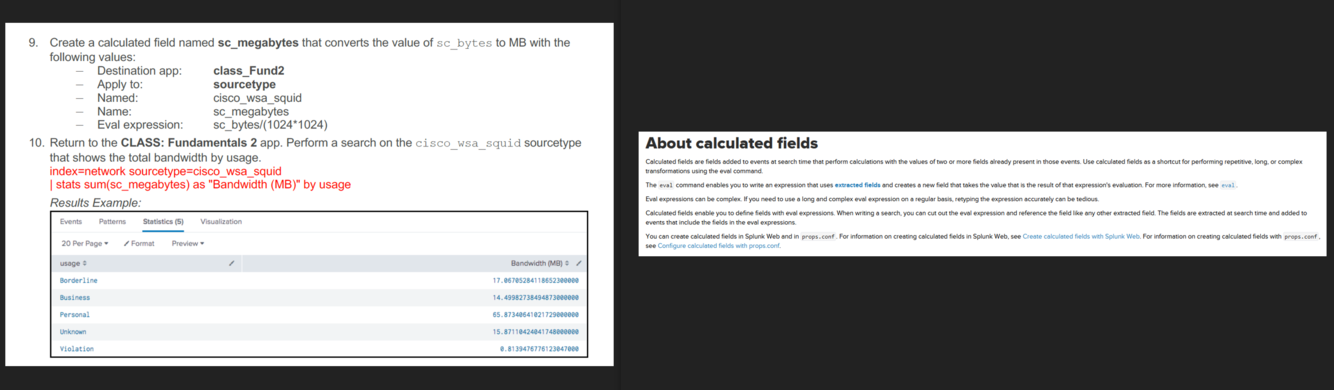
What is a calculated field:
Description:
Image.
Hint:
Image.
Answer:
- Description:*
- Calculated fields are fields added to events at search time that perform calculations with the values of two or more fields already present in those events.*
Additional Info:
An example would be converting data from raw information to usefull information,
example - sc_megabytes = sc_bytes/(1024*1024)
here we are converting the raw bytes number to mb.
Answer:
Image.
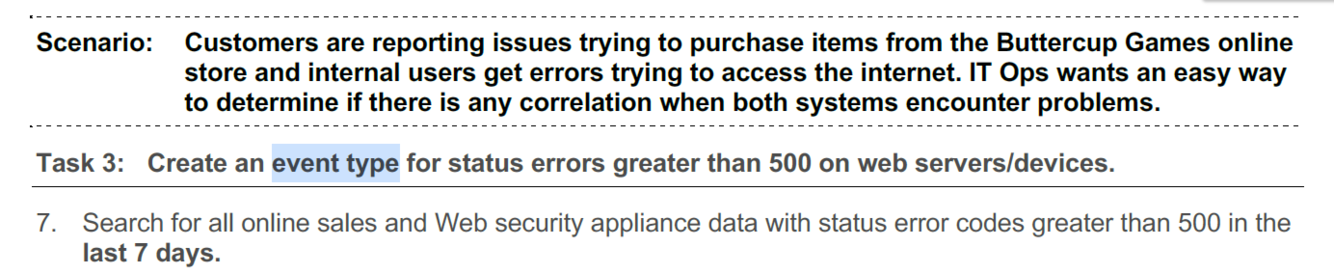
What is a Tag?
- Description hint:*
- Image*
- Hint:*
- Image - read the first sentence out loud in the hint image before showing the rest.*
Answer:
- Description:*
- Tags are used to assign names to specific field and value combinations.*
- Aditional Info:*
- These fields can be event type, host, source, or source type, etc. You can also use a tag to group a set of field values together, so that you can search for them with one command.
Example info (from image)*
- Answer:*
- Image. Example is also handy to know*
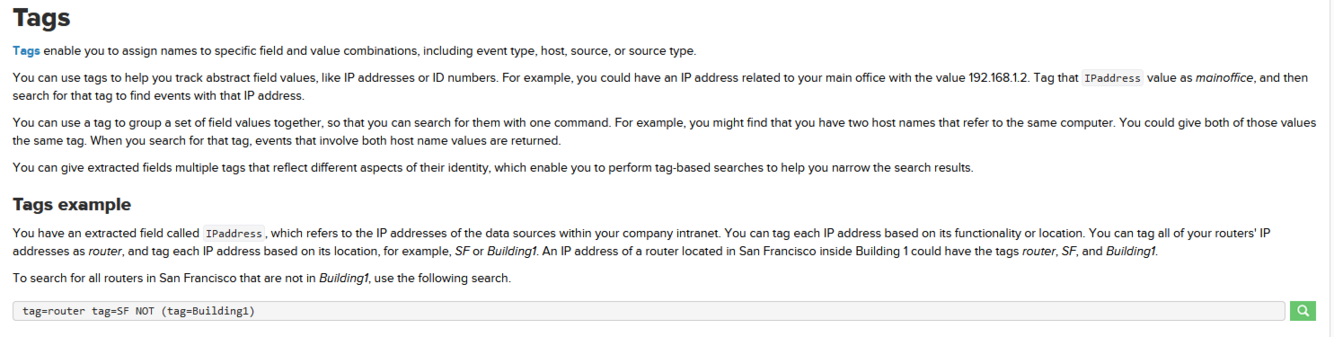
What is a Event Type?
- Description hint:*
- Image*
- Hint:*
- Image - enphasis on the word corelation in the image*
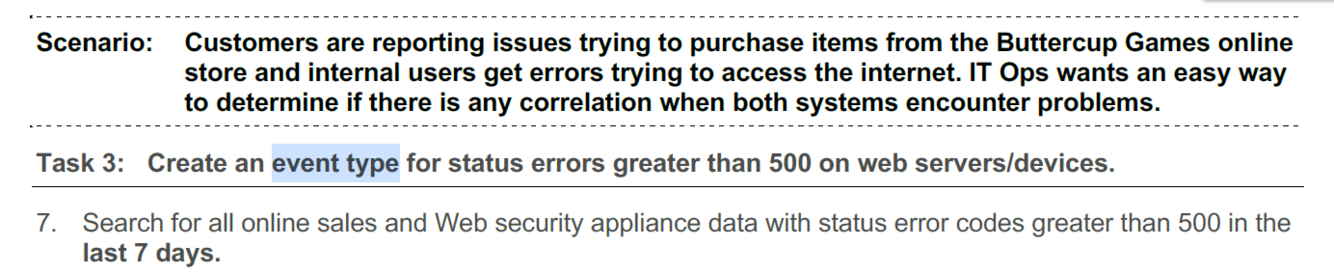
Answer:
- Description:*
- Splunk event type refers to a collection of data which helps in categorizing events based on common characteristics.*
- Aditional Info:*
- It is a user-defined field which scans through huge amount of data and returns the search results in the form of dashboards. You can also create alerts based on the search results.*
Example info (from image)
- Answer:*
- Image. Example is also handy to know*
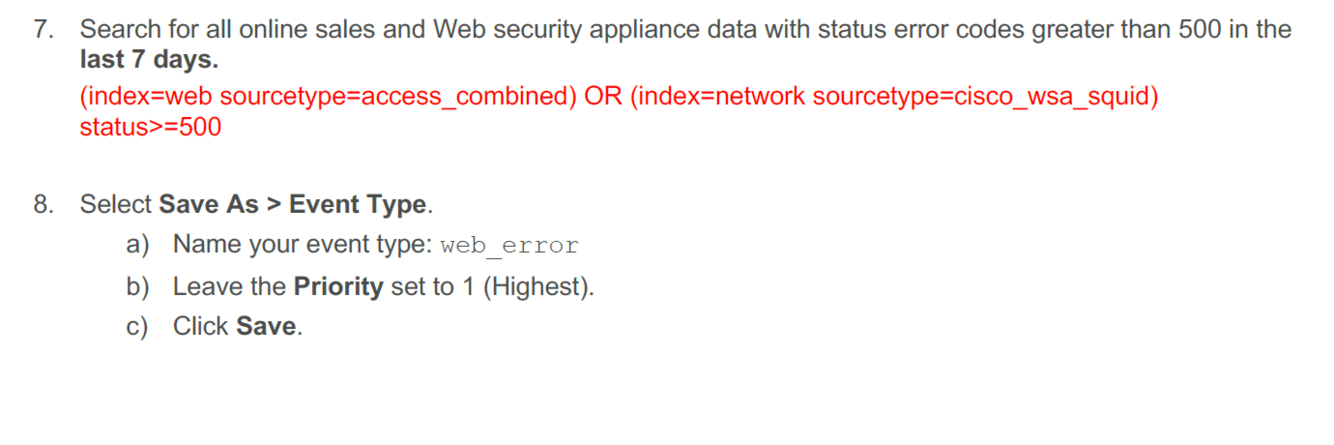
What is a Macro?
- Description hint:*
- Image*
- Hint:*
- Image -*

Answer:
- Description:*
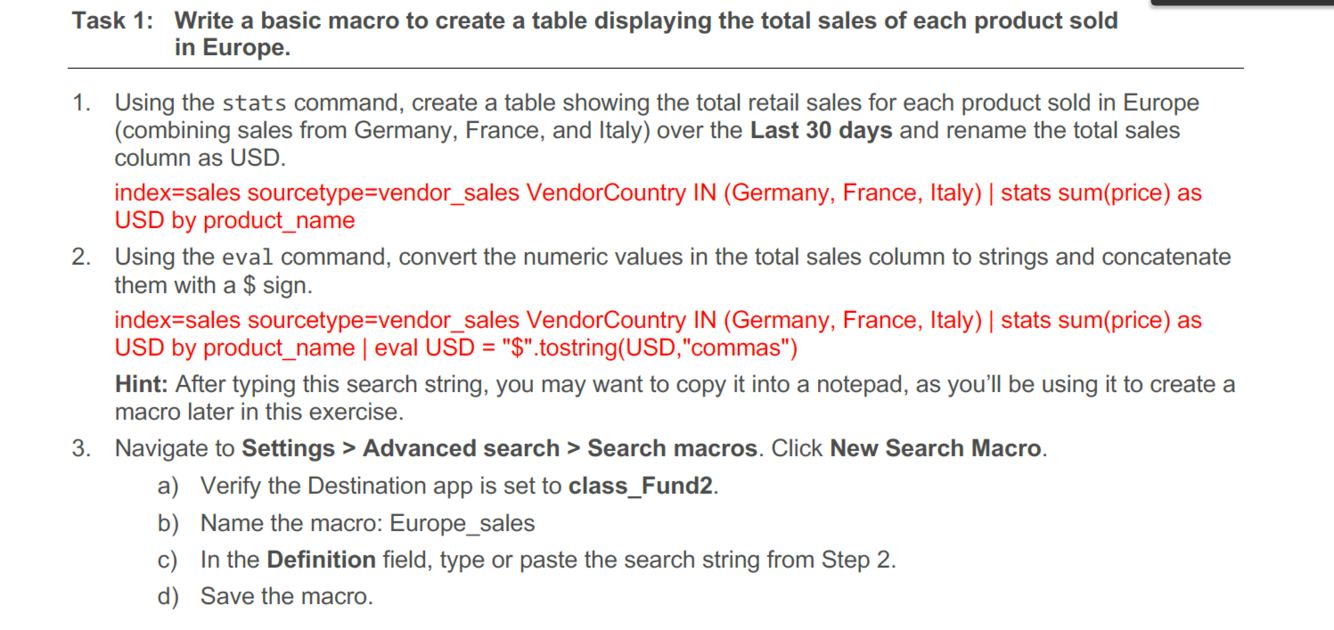
- Search macros are reusable chunks of Search Processing Language (SPL) that you can insert into other searches.*
- Aditional Info:*
- Search macros can be any part of a search, such as an eval statement or search term, and do not need to be a complete command. You can also specify whether the macro field takes any arguments.*
Example info (from image)
- Answer:*
- Image. Example is also handy to know*
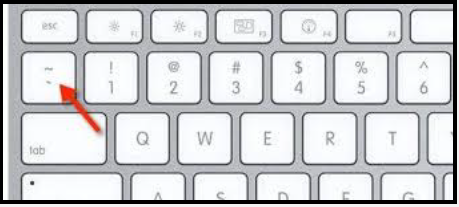
How do we use a Macro?
- Hint:*
- Image -*
Answer:
To call the macro you use the backtick “ ‘ “ symbol
from the image –> Europe_sales
- Reference image:*
- Attached*

What arguments can we use with a Macro?
- Hint description:*
- What symbols are used to define macro arguments?*
Answer:
SPL Answer with highlighted in bold sections:
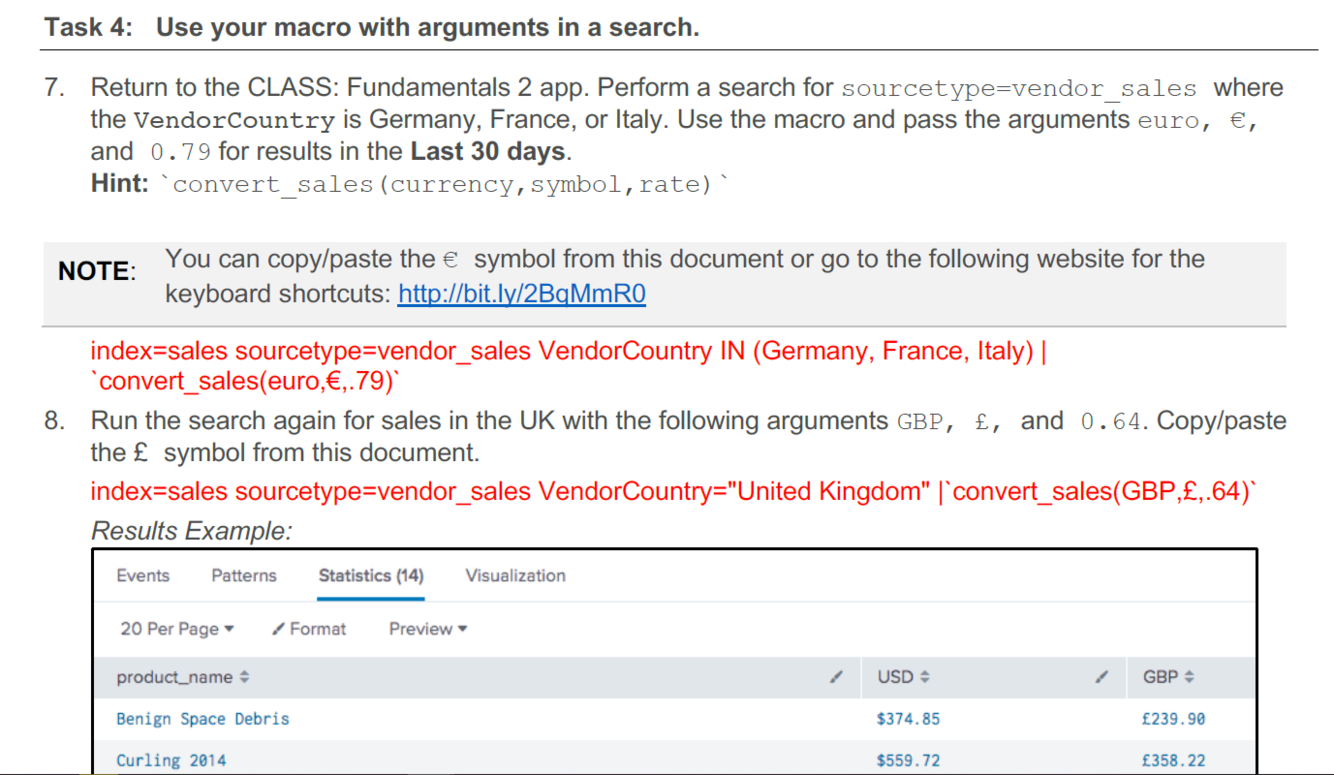
We are defining the arguements within the dollar signs markers.
Base search:
sourcetype=vendor_sales VendorCountry IN (Germany, France, Italy)
| stats sum(price) as USD by product_name
| eval euro = “€”.tostring(round(USD*0.79,2), “commas”), USD = “$”.tostring(USD,
“commas”)
Macro search with arguments:
*stats sum(price) as USD by product_name
| eval $currency$=”$symbol$“.tostring(round(USD*$rate$,2),”commas”),
USD=”$”.tostring(USD,”commas”)
Answer image:
Attached*
What is a GET Workflow Action?:
- Hint:*
- Attached image*

Answer:
GET workflow actions create typical HTML links to do things like perform Google searches on specific values or run domain name queries against external WHOIS databases.
- Important arguments:*
- Use the “ $!” prefix to prevent escape of URL or HTTP form field values*
When you define fields for workflow actions, you can escape these fields so that they can be passed safely to an external endpoint using HTTP. However, in certain cases this escaping is undesirable. In these cases, use the $! prefix to prevent the field value from being escaped. This prefix prevents URL escape for GET workflow actions and HTTP form escape for POST workflow actions.
- Bonus points:*
- Example SPL:*
Attached image for reference to below text.
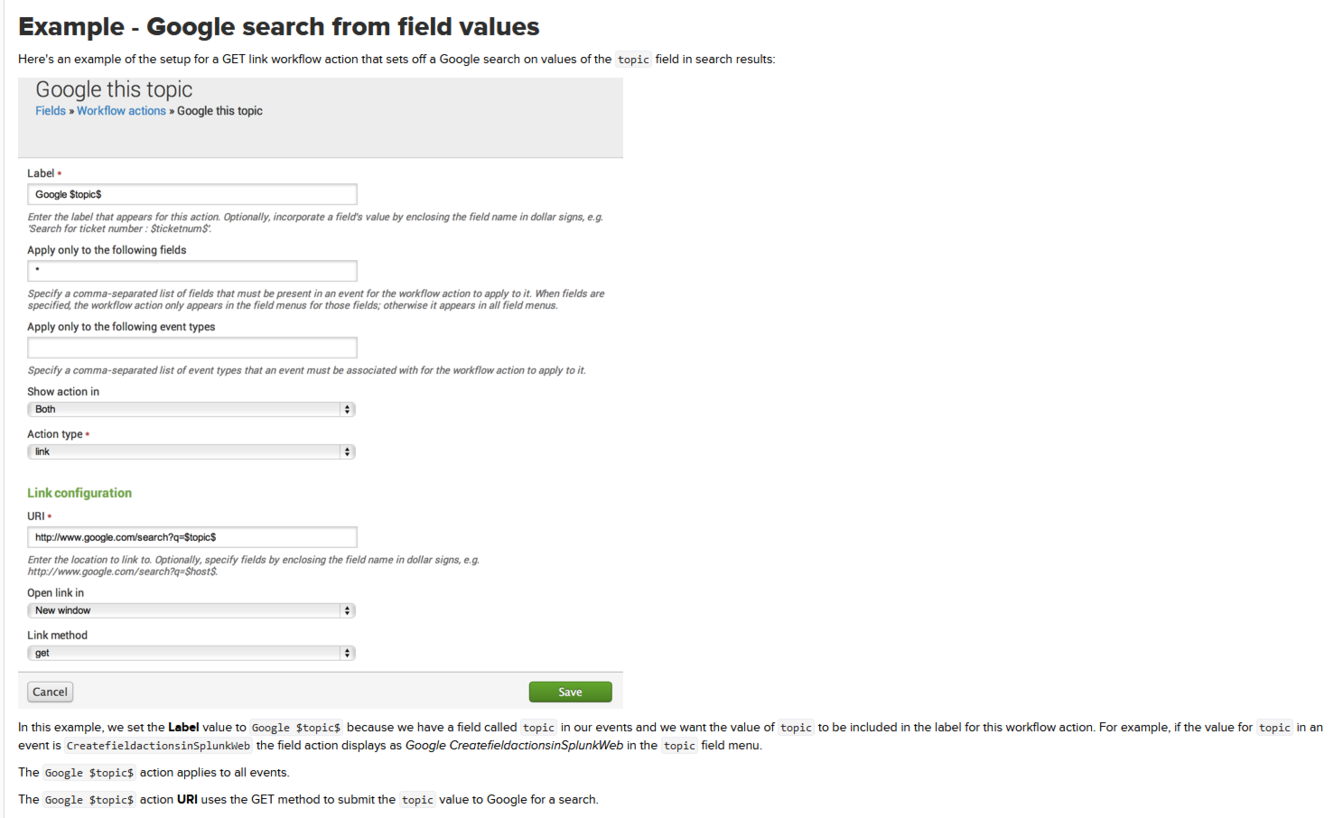
- In this example, we set the Label value to Google $topic$ because we have a field called topic in our events and we want the value of topic to be included in the label for this workflow action. For example, if the value for topic in an event is CreatefieldactionsinSplunkWeb the field action displays as Google CreatefieldactionsinSplunkWeb in the topic field menu.*
- The Google $topic$ action applies to all events.*
- The Google $topic$ action URI uses the GET method to submit the topic value to Google for a search.*
What is a POST Workflow Action?
- Hint:*
- Attached image*
Answer:
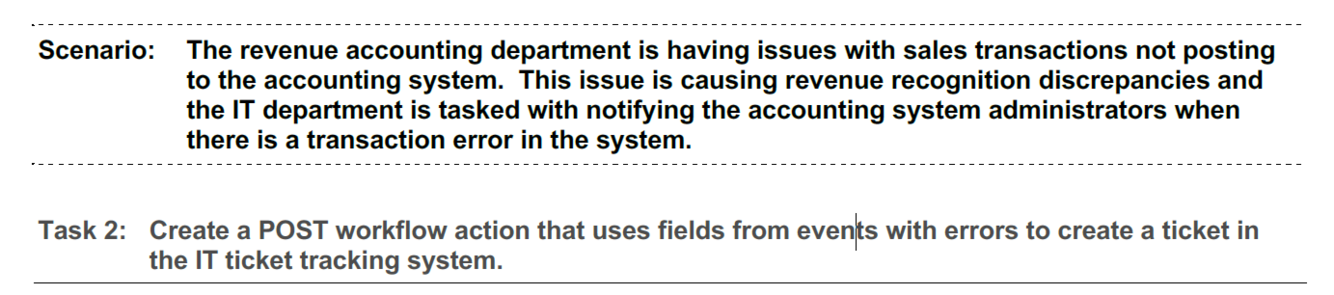
POST workflow actions generate an HTTP POST request to a specified URI. This action type enables you to do things like creating entries in external issue management systems using a set of relevant field values.
SPL Example:
- Important arguments:*
- Use the “ $! “ prefix to prevent escape of URL or HTTP form field values*
When you define fields for workflow actions, you can escape these fields so that they can be passed safely to an external endpoint using HTTP. However, in certain cases this escaping is undesirable. In these cases, use the $! prefix to prevent the field value from being escaped. This prefix prevents URL escape for GET workflow actions and HTTP form escape for POST workflow actions.
- Bonus points:*
- Example SPL:*
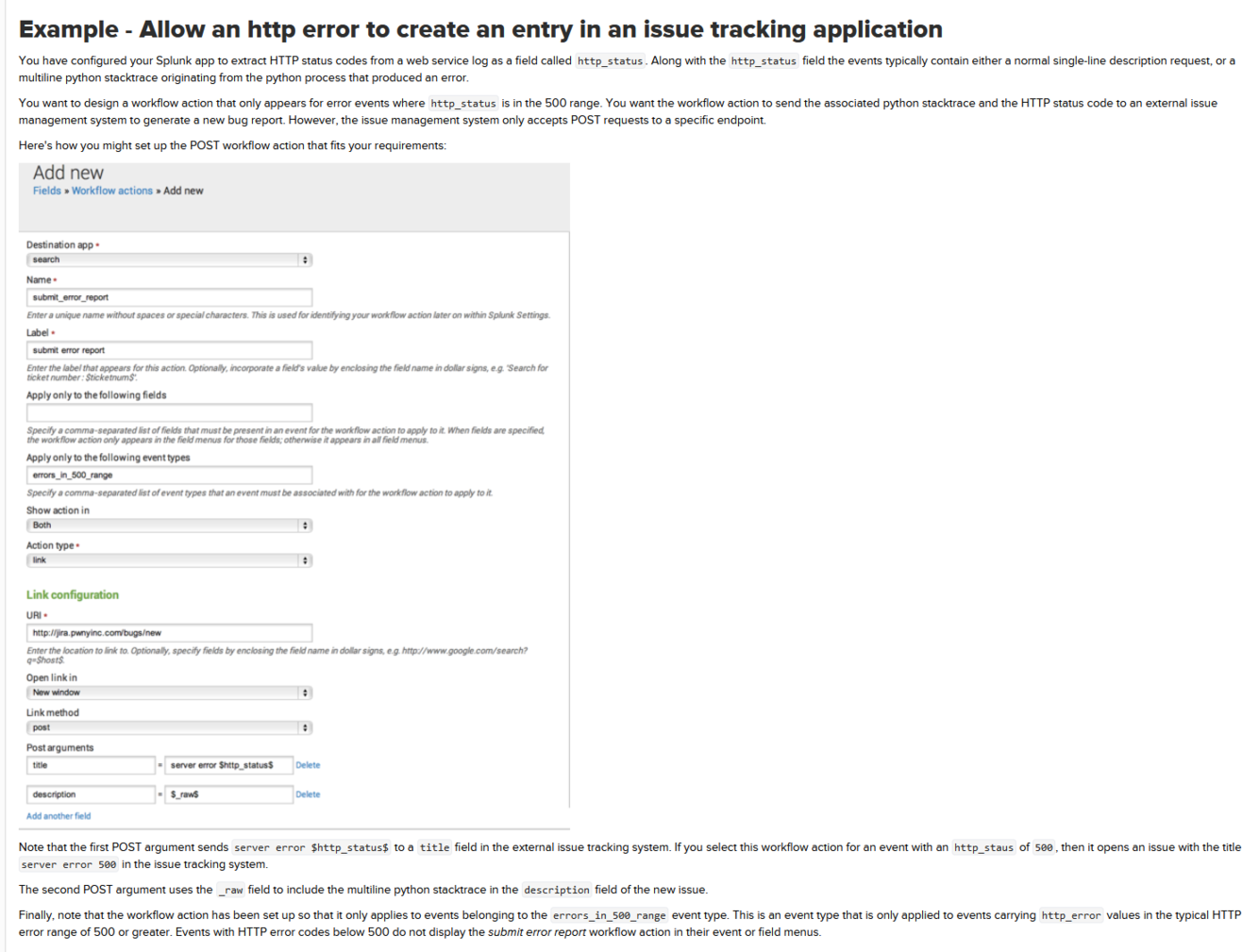
- Attached image for reference to below text.*
- Note that the first POST argument sends server error $http_status$ to a title field in the external issue tracking system. If you select this workflow action for an event with an http_staus of 500, then it opens an issue with the title server error 500 in the issue tracking system.*
- The second POST argument uses the _raw field to include the multiline python stacktrace in the description field of the new issue.*
- Finally, note that the workflow action has been set up so that it only applies to events belonging to the errors_in_500_range event type. This is an event type that is only applied to events carrying http_error values in the typical HTTP error range of 500 or greater. Events with HTTP error codes below 500 do not display the submit error report workflow action in their event or field menus.*
*_**What is a Search Workflow Action?
Hint:**_*
Attached image
Answer:
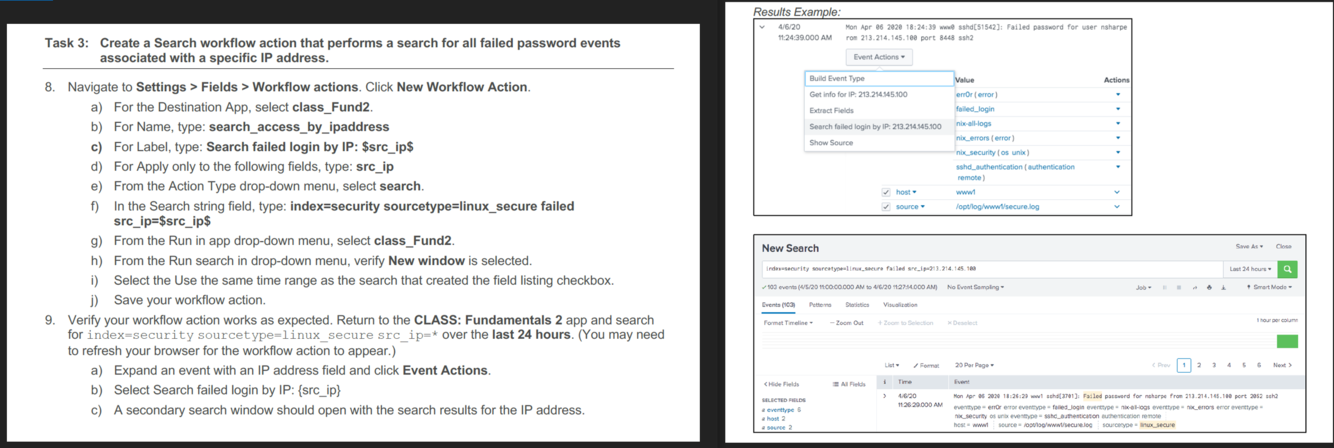
Search workflow actions launch secondary searches that use specific field values from an event, such as a search that looks for the occurrence of specific combinations of ipaddress and http_status field values in your index over a specific time range.
SPL Example:
- Bonus points:*
- *Example SPL:**
Attached image for reference to below text.
*What is the relationship between a Data Model and a Pivot?:
Hint:
Image attached*
*_**Answer:
Short answer:**_*
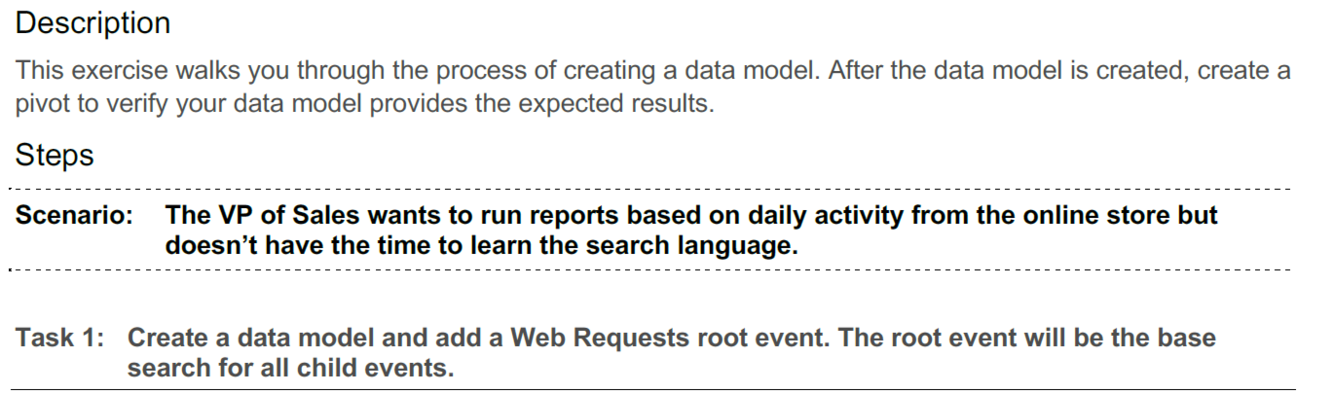
Data models provide the datasets for pivots.
*Long answer:
Data models map semantic knowledge about one or more datasets. The data model encodes the domain knowledge that is necessary to generate specialized searches of those datasets. **Data models are what enable you to use pivots to produce useful reports and dashboards without having to write the searches that generate them.
Image Answer:**
Attached*

*_**What is a data model attribute?
Hint:**_
Attached Image*
*_**Answer:
Short Answer:**_*
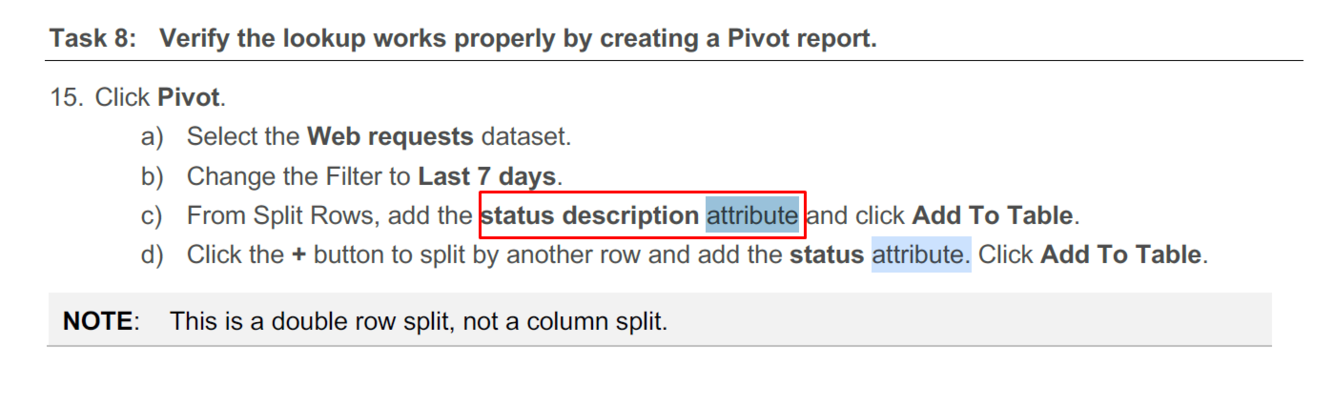
A field associated with the dataset represented by a data model dataset.
*Long Answer:
Every child object in a data model contains attributes that it has inherited from its parent object. … Data model objects can contain additional attributes that are extracted fields, calculated fields, and fields derived from **lookups.
Answer Image:***

**What is a CIM?:
- Hint:***
- Image*

- Answer:*
- The Splunk Common Information Model (CIM) is a shared semantic model focused on extracting value from data**.*
Long Answer:**
The CIM is implemented as an add-on that contains a collection of data models, documentation, and tools that support the consistent, normalized treatment of data for maximum efficiency at search time.