Demo 1: What are the steps to promoting a user to administrator?
Demonstrate knowledge of the general usage of Administrative roles in Okta
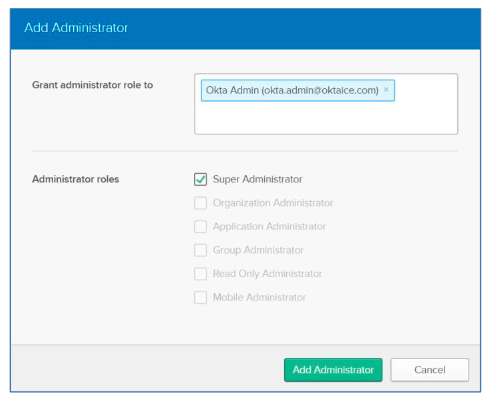
Directory > People. “Add Person” if not already added.
Once the person has been added.
- Security > Administrators >
- Click “Add Administrators” >
- Grant Permission Role selection list. > Super Admin > “Add Administrator”
What can a Help Desk administrator do and not do?
Demo 1B: Demonstrate knowledge of the general usage of Administrative roles in Okta: Configure the Help Desk Administrator Role
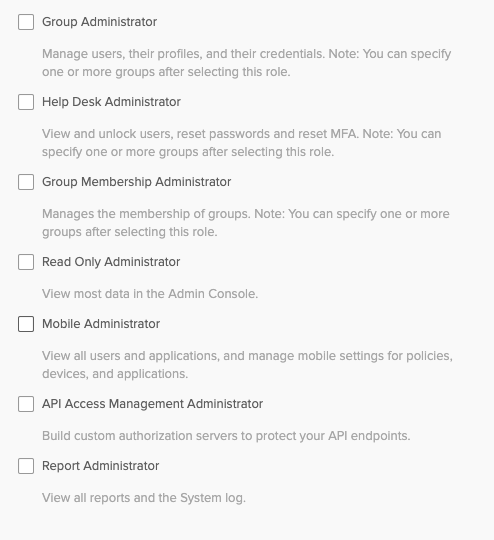
Help Desk Administrator can view and unlock users, reset passwords and reset MFA.
Note: You can specify one or more groups after selecting this role.
Configure the Help Desk Administrator Role: Security > Administrators > “Add Administrators”
How to create a Group
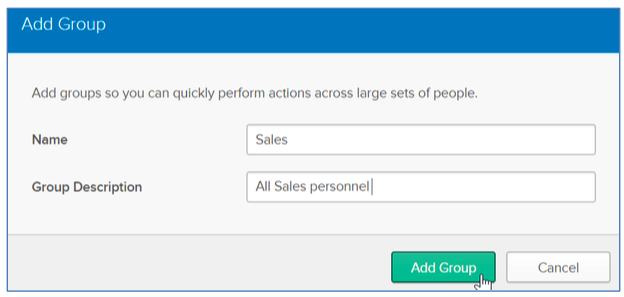
- Point to Directory and click Groups.
- Click Add Group.
- In the Name field, type the following: Sales
- In the Description field, type the following: All sales personnel 5. Click Add Group.
Question 2: What can Group Admins do and not do?
Demonstrate knowledge of the general usage of Administrative roles in Okta: The Group Admin Role
Group Admin can perform most admin activities for an org.
Note: Org admins cannot manage app, authorization servers, hooks, Okta mobile or other admins.
What can an App Administrator do and not do?
App Administrators cna view and manage user permissions in an application.
Note: You can specify one or more application afer selecting this role.
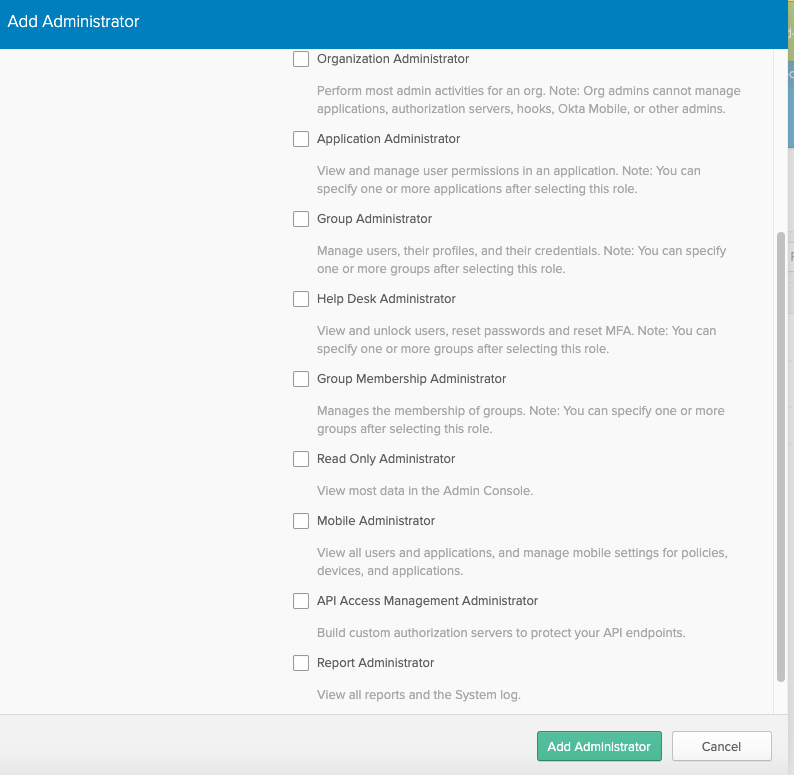
What are all the Administrator roles:
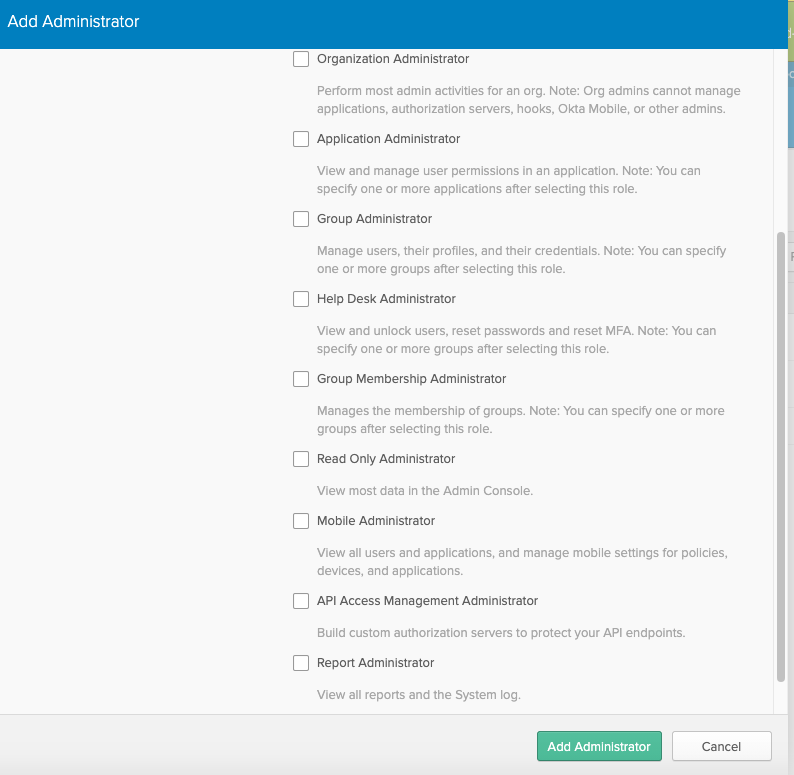
- Super Admin
- Org Admin
- Group Admin
- Help Desk Admin
- Group Membership Administrator
- Read Only Administrator
- Mobile Administrator
- API Access Managment
- Report Administrator

-
04 Define Users in Okta (Provisioning-LCM)45
-
05 Explain External Directories (Single Directory Integration)26
-
06 - Configure Groups31
-
07 - Configure SSO & Provisioning52
-
08 - Integrate Custom Applications8
-
09 - Okta Policy Network56
-
10-Configure Universal Directory (Okta as a directory (LCM)23
-
11 - Customize Okta (Personalization)20
-
12- Monitor your Okta Org (Logging and Reporting (Admin & troubleshooting))32
-
13- SAML12
-
14- How Okta Integrates Applications9
-
15- Create a SAML Integration using AIW19
-
Token Management (API Functions)0
-
API Extended Functions (API Functions)0
-
Industry Knowledge (IAM)3
-
Self-Service End User (IAM)13
-
16 - Basic Multifactor Authentication (Security)9
-
Administrator Access Control (Security)6
-
API and API Token Management (Admin & Troubleshooting)4
-
Customer Support Practices (Admin and Troubleshooting)8
-
Okta Terminology12
-
Identity Providers9
-
Configure WS-Federation6
-
Okta Identity Cloud4



