dashes in line into circles
+ burn in the circles
(e.g. cogged wheel)
- give stroke some substantial value, say 50
- tick ‘Dashed Line’
- set dash to zero and gap to some value
- select Round Cap
- Object / Path / Outline Stroke
- Pathfinder Panel / Minus Front
how to centre text that’s already centered:
Object / Expand / OK (this actually creates outlines…)
apply gradient to text
- In Appearance Panel, x2-click on ‘Type’ (not ‘Characters’)
- add a Fill
- click slider in Gradient Panel
line or other line tool sprouts plethora of clones from centre - how?
drag + hold down @
draw solid shape from stroke:
- draw line (stroke only)
- apply variable width profile
- convert to outline stroke
apply drop shadow
to entire layer
- objects are grouped
- group is selected
- circle right of layer is clicked and is now doubled
(layer is said to be ‘targeted’) - now apply drop shadow
multi-column text frames
Type / Area Type Options
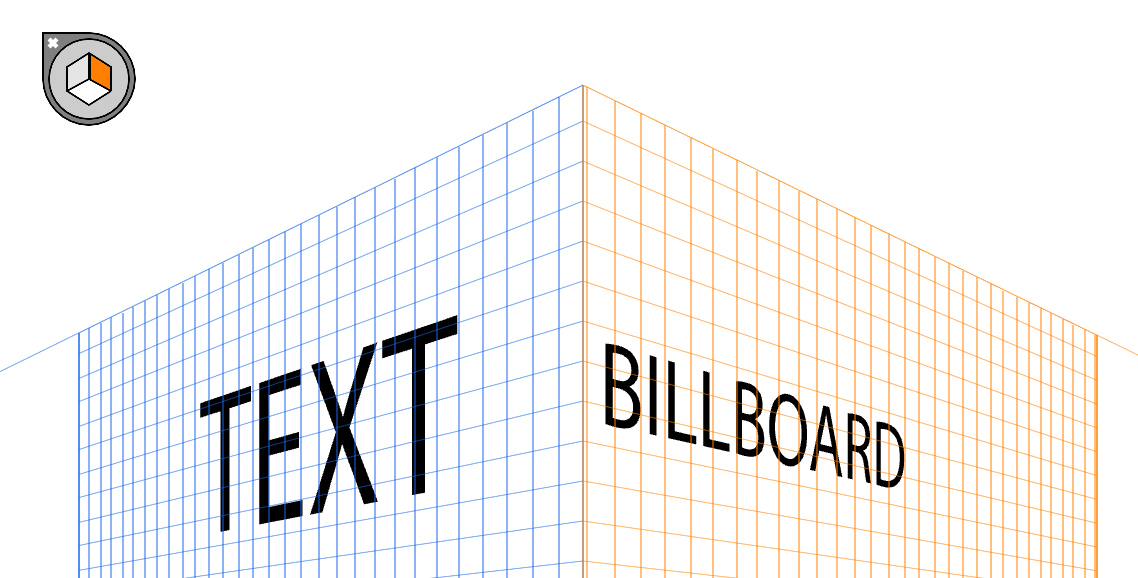
apply perspective
- create text block or graphic
- summon perspective grid - Ctrl + Shift + I
- ‘Perspective Selection Tool’ (nested) - Shift + V
- drag object onto grid
- click icon, top left, to place an object on other side
How to do a reflection:
- by Dansky -
- reflect horizontal
- transparency panel: make mask
- ‘Make Mask’ (no throughway) + click ‘Clip’
- mask in panel is selected: create rectangle covering reflection
- apply gradient to mask
(INCOMPLETE - RETURN TO DANSKY TUTORIAL)
pen tool tricks
- duck the hard bits
- using Curvature Tool*
- Curvature Tool
- Hold down Alt
- Draw straight lines
- peaks and troughs
- CT pulls down lines
- create additional pts if needed
- Alt + Shift = perfect half circles
CT is intuitive, and will try hard to create a smooth transition between two newly created points.
celtic knot, the quick way - forget concentric circles:
- fat stroke
- Object / Expand
this creates the equivalent of an outline stroke, with fill and stroke.
expand appearance - EA
outline stroke - OS
expand - E
- difference -
EA - object remains editable
E - object cannot be edited (stroke became shape)
OS - is the same as E.
envelope distort
- combine text + shape
- *(text remains live)**
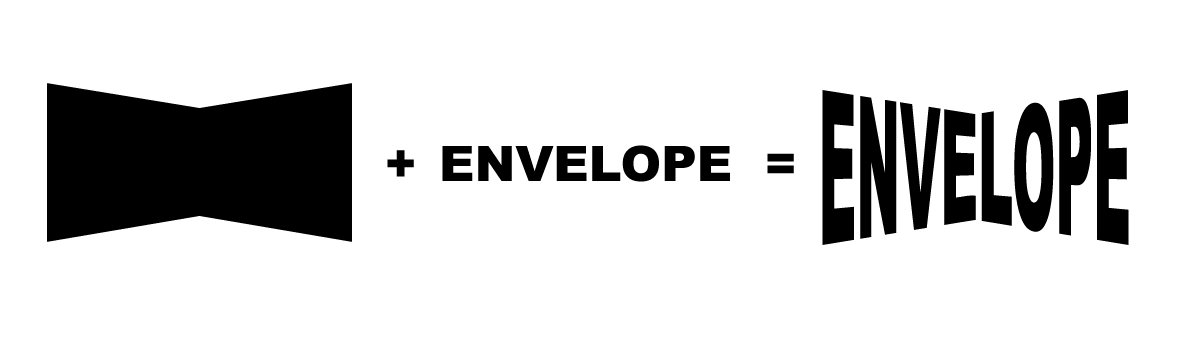
- place shape, top of pile on the artboard
- select both shape and text
- Object / Envelop Distort / Make with Top Object
- Done!
photo in text
- text on top of photo
- select both
- Object / Clipping Mask / Make
get rid of white background
hit Y key for magic wand,
click the white backgrd,
hit Delete
line to zigzag/wave
Object / Distort & Transform /
Zig Zag…
clipping mask of multiple brushes and words
- draw a splash of brushes
- place text on top
- Pathfinder fly-out: ‘Make Compound Shape’*
- Select all, right-click + ‘Make Clipping Mask’
* this allows editing the text after clipping mask has been applied.



