Instance Types
- Development
- Low cost, single node
- No replication or SLA
- Production
- 1+ clusters
- 3+ nodes per cluster
- Replication available, throughput guarantee
- Can upgrade the development instance to a production instance. Upgrading a development instance is permanent.
Application Profiles
- Custom application-specific settings for handling incoming connections.
- Good practice to create one profile for each individual application (e.g. regular workload + analytical workload).
- Help viewing connections metrics
- Single or multi-cluster routing
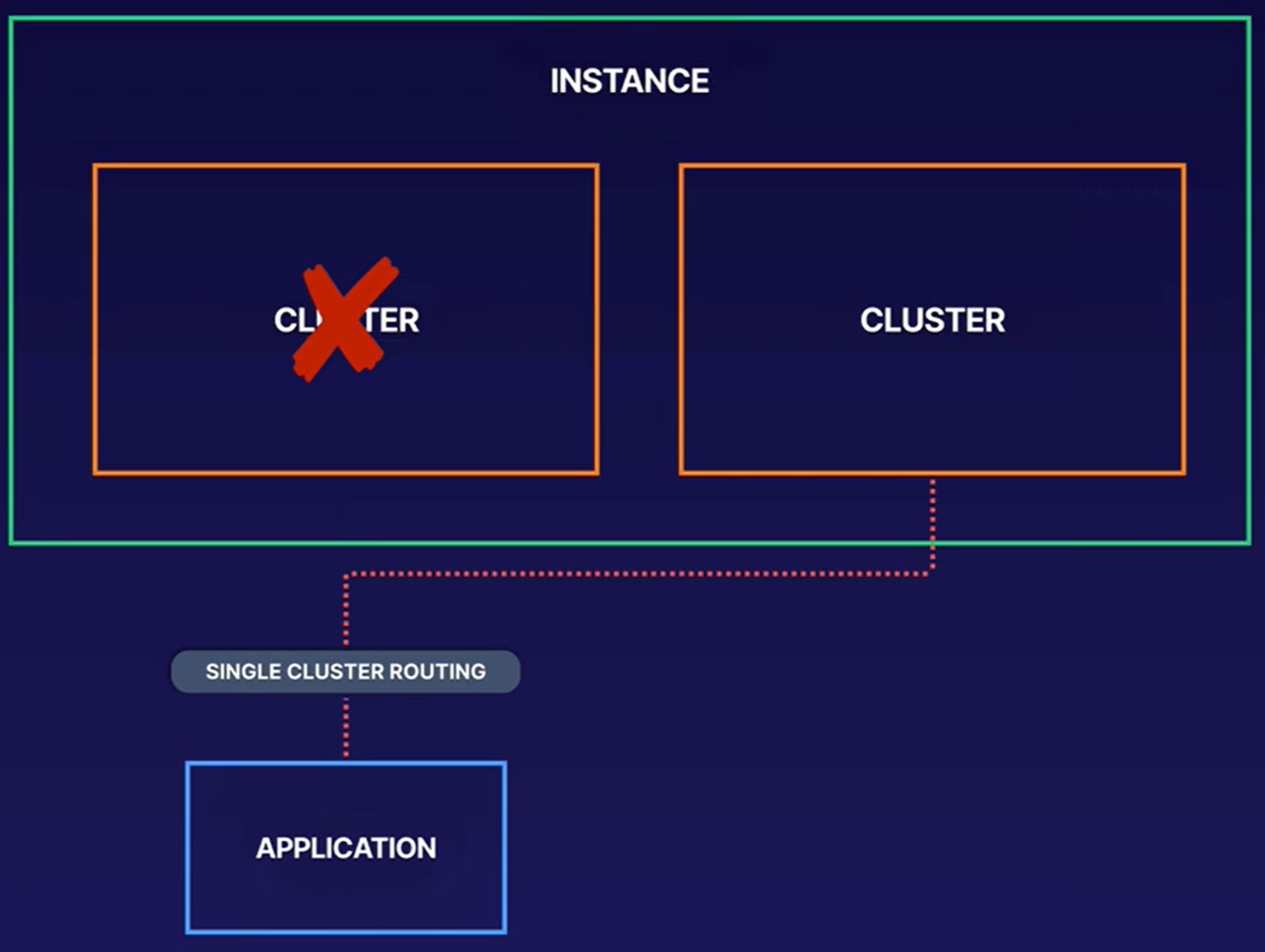
- Single-cluster routing: application will route to a single cluster. Will have to perform a manual failover (manually updating profile) if cluster fails.
- Use case: Web application and batch job route traffic to different cluster based on application profile
- Multi-cluster routing: automatic failover occurs to the next available cluster. But this is an expensive service. This configuration provides eventual consistency.
- Single-cluster routing: application will route to a single cluster. Will have to perform a manual failover (manually updating profile) if cluster fails.
- Single-cluster routing is requested for single-row transactions (atomic updates to single rows).
- Single-row transactions are not strongly consistent across multiple clusters/multi-cluster routing.
Field Promotion
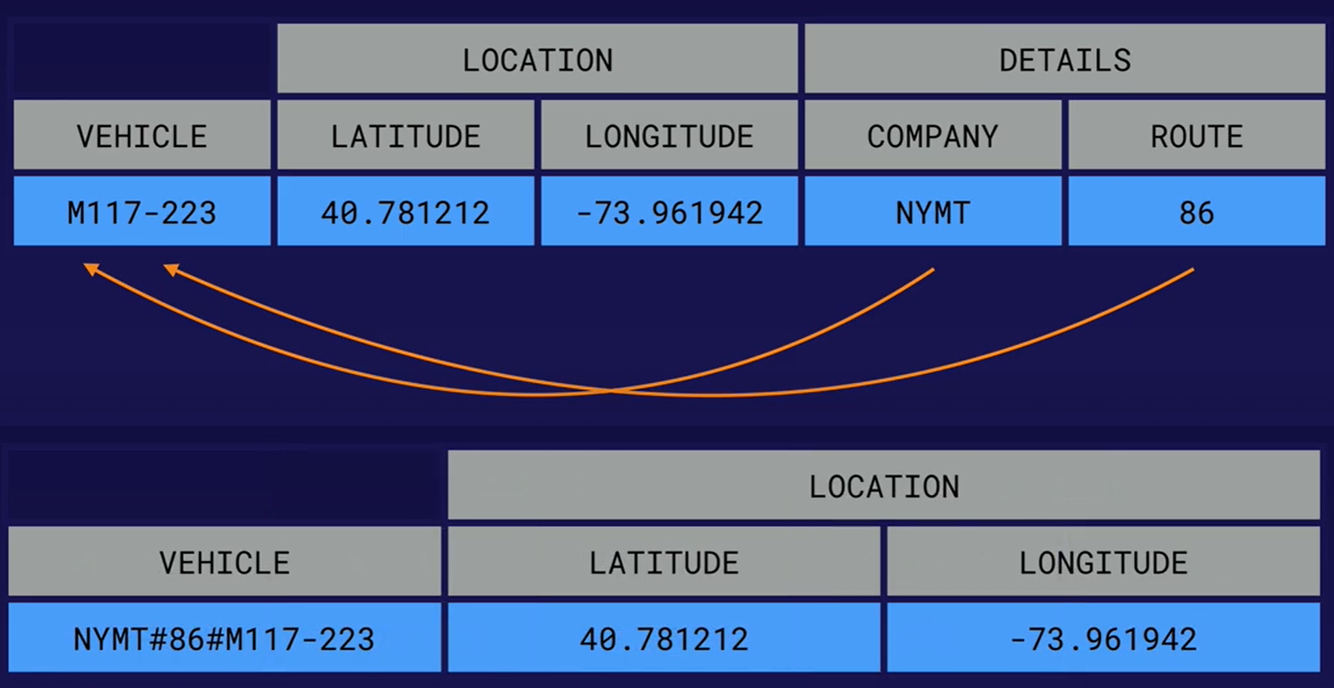
- Move fiels from column data to row key.
- Allow for better row keys if we know the data when querying the table.
- Better query perfomance, we dont have to scan as much data within the table
- We can use a prefix filter, e.g. scan ‘vehicles’, {ROWPREFIXFILTER => ‘NYMT#86#’}
- Never put a timestamp a the start of the key, it will be impossible for BT to balance the load across the cluster
Designing Row Keys
- Row keys are the only indexed item
- Lexicographic sorting (A-Z)
- Related entities should be in adjacent rows for more efficient reads
- Queries use a row key or a row key prefix
- Row key or prefix should be sufficient for a search
- Balanced access patterns enable linear scaling of performance
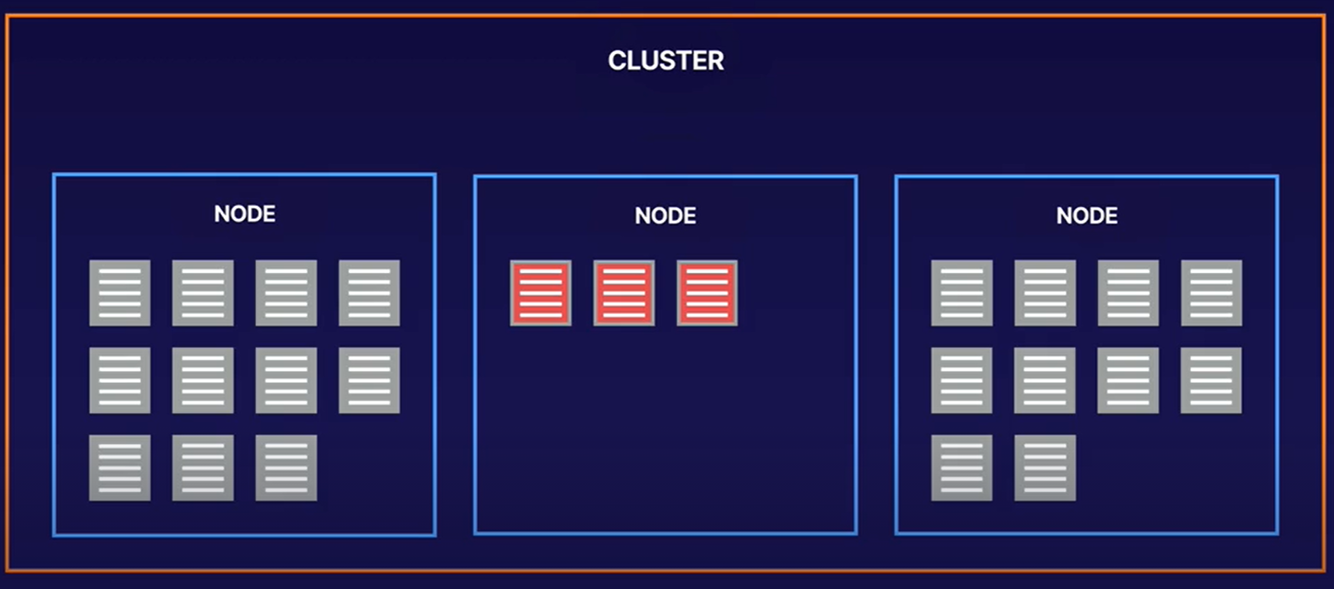
- Good row keys spread/distribute load evenly over multiple nodes
- Bigtable performs best when reads and writes are evenly distributed throughout your table, which helps Bigtable distribute the workload across all of the nodes in your cluster. If reads and writes cannot be spread across all of your Bigtable nodes, performance will suffer. If you find that you’re reading and writing only a small number of rows, you might need to redesign your schema so that reads and writes are more evenly distributed.
- Reverse domain names (com.linuxacademy.support)
- String identifiers (mattu)
- Timestamps (reverse, NOT at front /or only identifier), only as part of a bigger row key design
- Row keys to avoid:
- Domain names
- Sequential numbers
- Frequently updated identifiers
- Hashed values
Designing Row Keys - cont.
Because the best way to query Bigtable efficiently is by row key, it’s often useful to include multiple identifiers in your row key.
Row key segments are usually separated by a delimiter, such as a colon, slash, or hash symbol. The first segment or set of contiguous segments is the row key prefix, and the last segment or set of contiguous segments is the row key suffix.
If your data includes integers that you want to store or sort numerically, pad the integers with leading zeroes. Bigtable stores data lexicographically.
It’s important to create a row key that makes it possible to retrieve a well-defined range of rows. Otherwise, your query requires a table scan, which is much slower than retrieving specific rows.
For example, if your application tracks mobile device data, you can have a row key that consists of device type, device ID, and the day the data is recorded. Row keys for this data might look like this:
- phone#4c410523#20200501
- phone#4c410523#20200502
- tablet#a0b81f74#20200501
- tablet#a0b81f74#20200502
This row key design lets you retrieve data with a single request for:
- A device type
- A combination of device type and device ID
This row key design would not be optimal if you want to retrieve all data for a given day. Because the day is stored in the third segment, or the row key suffix, you cannot just request a range of rows based on the suffix or a middle segment of the row key. Instead, you have to send a read request with a filter that scans the entire table looking for the day value.
REF: https://cloud.google.com/bigtable/docs/schema-design#row-keys
Avoid Hotspots
- Hotspots = when load is on one node and/or not distributed across the cluster.
- Field promotion
- Salting
- Key Visualizer:
- Tool that helps you analyze your Cloud Bigtable usage patterns. It generates visual reports for your tables that break down your usage based on the row keys that you access.
- Help you complete the following tasks:
- Check whether your reads or writes are creating hotspots on specific rows
- Find rows that contain too much data
- Look at whether your access patterns are balanced across all of the rows in a table
https://cloud.google.com/bigtable/docs/keyvis-overview
Replication
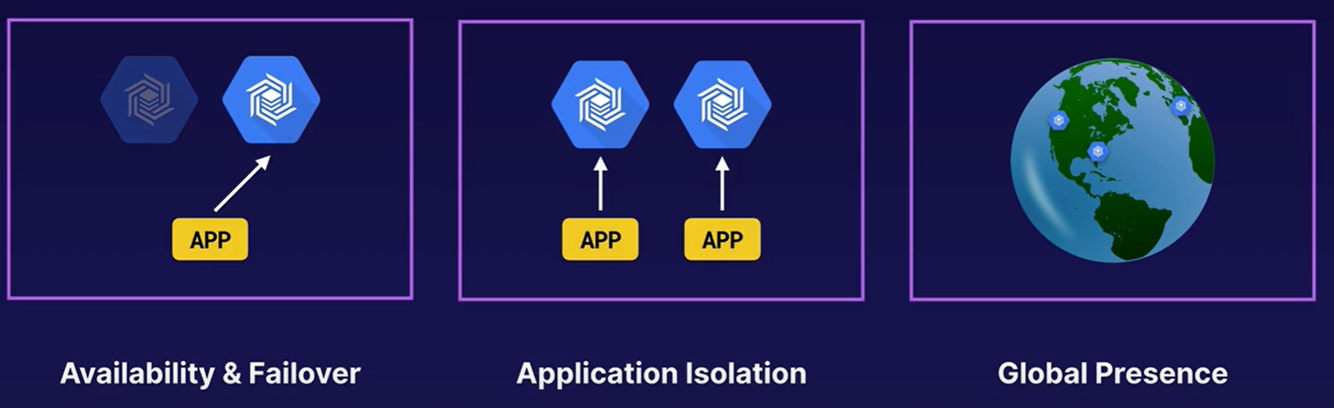
- Adding additional clusters automatically starts replication, i.e. data synchronization.
- Replication is eventually consistent.
- Replication improves read throughput but does not affect write throughput
- Replication is used for:
Causes of slower performance
- The table’s schema is not designed correctly.
- The rows in your Cloud Bigtable table contain large amounts of data.
- The rows in your Cloud Bigtable table contain a very large number of cells.
- The Cloud Bigtable cluster doesn’t have enough nodes.
- The Cloud Bigtable cluster was scaled up or scaled down recently.
- The Cloud Bigtable cluster uses HDD disks.
- There are issues with the network connection.
Monitoring
CPU utilization should not exceed the following:
- Single cluster: 70% average CPU utilization
- Any number of clusters with single-cluster routing: 70% average CPU utilization
- 2 clusters with multi-cluster routing: 35% average CPU utilization
REF: https://cloud.google.com/bigtable/docs/monitoring-instance



